Your kitchen table might look like a care team exploded on it. A developmental report is tucked under an insurance letter. The neurologist's medication change is in your email, but the school nurse still has last month's dosing sheet. You know the information exists. You just can't put your hand on the right page when someone asks for it.
That's the point where many parents start calling themselves “bad at paperwork.” They aren't. They're trying to manage a fragmented system built across pediatricians, specialists, therapists, schools, portals, and family caregivers. The paperwork isn't just clutter. It's your child's health story, and when that story is scattered, advocacy gets harder.
A lot of families start with a binder and stop there. A binder helps, but a binder alone is a static archive. It stores. It rarely reveals. If you're trying to understand whether sleep changed after a medication adjustment, whether meltdowns cluster after certain school days, or whether a diet shift affected GI symptoms and behavior, paper by itself won't connect those dots. Learning how to organize medical records for an autistic child means building a system that supports access, pattern recognition, and safe sharing.
Table of Contents
- Moving from Paper Chaos to Empowered Control
- Gathering Your Child's Complete Health Story
- Building a Hybrid Physical and Digital System
- Digitizing Records for Actionable Insights
- Creating Secure Sharing Protocols for Your Care Team
- Maintaining Your System with a Simple Monthly Routine
Moving from Paper Chaos to Empowered Control
The shift usually starts during an appointment. A doctor asks when a symptom began, what happened after a medication trial, or whether the same behavior shows up at school. You know you've seen the answer somewhere. You just can't retrieve it fast enough.
That lag matters. It raises stress, causes repeat explanations, and can slow care. 64% of parents of autistic children report significant stress from managing disconnected health records across care settings, and 78% of caregivers admit to discarding records because they cannot see trends. Those numbers explain why so many families feel buried even when they've worked hard to save everything.

A disorganized system creates two different problems. The first is obvious. You lose time hunting for records. The second is quieter. You lose the ability to spot patterns across records that were never designed to talk to each other. A therapy note sits in one stack. A sleep change sits in an app. A school behavior report sits in a backpack. None of it becomes useful insight unless you bring it together.
Why binders help, and where they fall short
A binder is still worth having. It gives you a physical home for current records, emergency details, and paperwork you need to carry into appointments. For archived material that doesn't need daily access, sturdy archive storage boxes can keep past school-year files and old evaluations protected without overstuffing your active system.
But a binder-only setup has limits.
- It's reactive: You can retrieve a report, but you can't easily compare trends across months.
- It gets bloated fast: Once old evaluations, visit summaries, insurance letters, and school records pile up, the useful pages get buried.
- It doesn't share cleanly: Grandparents, therapists, school staff, and babysitters rarely need the same information.
Practical rule: Your record system should answer two questions fast. What does someone need to know right now, and what pattern have we been missing over time?
Control starts with a working system
The goal isn't to create a perfect scrapbook of your child's history. The goal is to create a usable care tool. That means current information stays visible, older material stays accessible, and the system makes it easier to advocate during appointments, emergencies, school meetings, and appeals.
When parents stop treating record-keeping as storage and start treating it as care coordination, the whole process changes. You aren't just filing papers. You're building a clearer picture of your child.
Gathering Your Child's Complete Health Story
A lot of parents hit the same wall. You know your child's history, but in the moment you need it, half of it lives in three patient portals, one overstuffed school folder, old emails, and a specialist office that never sent the report. That gap matters. If you cannot see the full story in one place, patterns stay hidden and appointments turn into memory tests.
Start by pulling records from every source before you sort a single page. I learned this the hard way. The records that explain today's problem are often not the records from the last visit. They may be an OT note from eight months ago, a school behavior log, a GI message thread, or a medication change that looked minor at the time.
For children with developmental, behavioral, or complex medical needs, the record set has to do more than prove what happened. It has to help you spot what keeps happening.
The American Academy of Pediatrics advises families to keep a personal health record that includes diagnoses, medicines, allergies, test results, hospitalizations, and contact information for clinicians involved in care. Their family guidance on keeping and using your child's personal health record is a solid reference point. For special needs families, I would add one more rule. Gather anything that shows patterns across settings, not only formal medical documents.
What to collect before you sort anything
Collect by category, not by where you found it. That keeps you from building a system around someone else's filing habits.
Start with these groups:
Diagnostic records
Developmental evaluations, neuropsych reports, psychoeducational testing, autism assessments, specialist findings, and summaries of co-occurring conditions.Medical history
Allergy lists, immunization records, surgery notes, hospital discharge summaries, imaging reports, lab results, seizure or symptom logs, and specialist consult notes.Medications
Current prescriptions, past medications, dose changes, side effects, start and stop dates, and pharmacy handouts.Therapy and support records
Speech, OT, PT, ABA, mental health notes, treatment plans, progress summaries, and home program recommendations.School and educational documents
IEPs, 504 plans, evaluations, behavior intervention plans, meeting notes, communication logs, and school nurse instructions.Administrative paperwork
Insurance letters, prior authorizations, denials, waivers, provider contact lists, consent forms, and caregiver permissions.
Daily life data belongs here too.
If sleep disruption, constipation, food restriction, sensory overload, aggression, elopement, or shutdowns are part of your child's picture, gather those logs with the formal records. Those details often explain why a medication looked ineffective, why school behavior changed, or why a therapy plan stalled. A practical way to start is to pair your documents with a repeatable tracking method, like this guide on tracking sleep and health patterns for autistic kids.
Essential Medical Records Checklist
| Category | Documents to Collect | Pro Tip |
|---|---|---|
| Diagnostic Records | Developmental evaluations, diagnostic summaries, psycho-educational reports, specialist assessments | Keep the newest evaluation easy to reach and group older versions by date |
| Medical History | Allergy list, immunization records, surgery notes, discharge summaries, lab reports, imaging, specialist reports | Pull portal records first, then request the missing pieces from offices |
| Medications | Current prescriptions, past medication history, dosage changes, side effects notes, pharmacy handouts | Keep one current medication sheet with dates and reactions |
| Therapy Records | ABA notes, speech summaries, OT/PT reports, counseling plans, home recommendations | Ask providers for summary reports at regular intervals, not only session notes |
| School Records | IEPs, 504 plans, behavior plans, evaluations, nurse forms, communication logs | File by school year so changes are easier to trace |
| Insurance and Appeals | Insurance cards, denials, approvals, prior auth letters, EOBs, waiver paperwork | Keep all appeal-related records together with the matching diagnosis documents |
| Contacts and Consent | Provider list, emergency contacts, release forms, caregiver authorizations | Save one current contact sheet in a place every caregiver can access |
Gather broadly first. Sorting missing history later takes more time than collecting it now.
Parents often freeze here because the task feels too big. It does not need to happen in one weekend. Start with records that affect decisions right now, then pull older material into your archive in batches. A dynamic system is built in layers. What matters is getting to a record set you can search, share selectively, and use to recognize patterns over time.
Building a Hybrid Physical and Digital System
The test of any record system happens at a rushed appointment. A specialist asks when sleep started falling apart, school wants the latest evaluation, and urgent care needs the current medication list. If the answer lives in three portal accounts, a stack of loose papers, and your camera roll, the problem is not effort. The system is carrying too much in the wrong places.
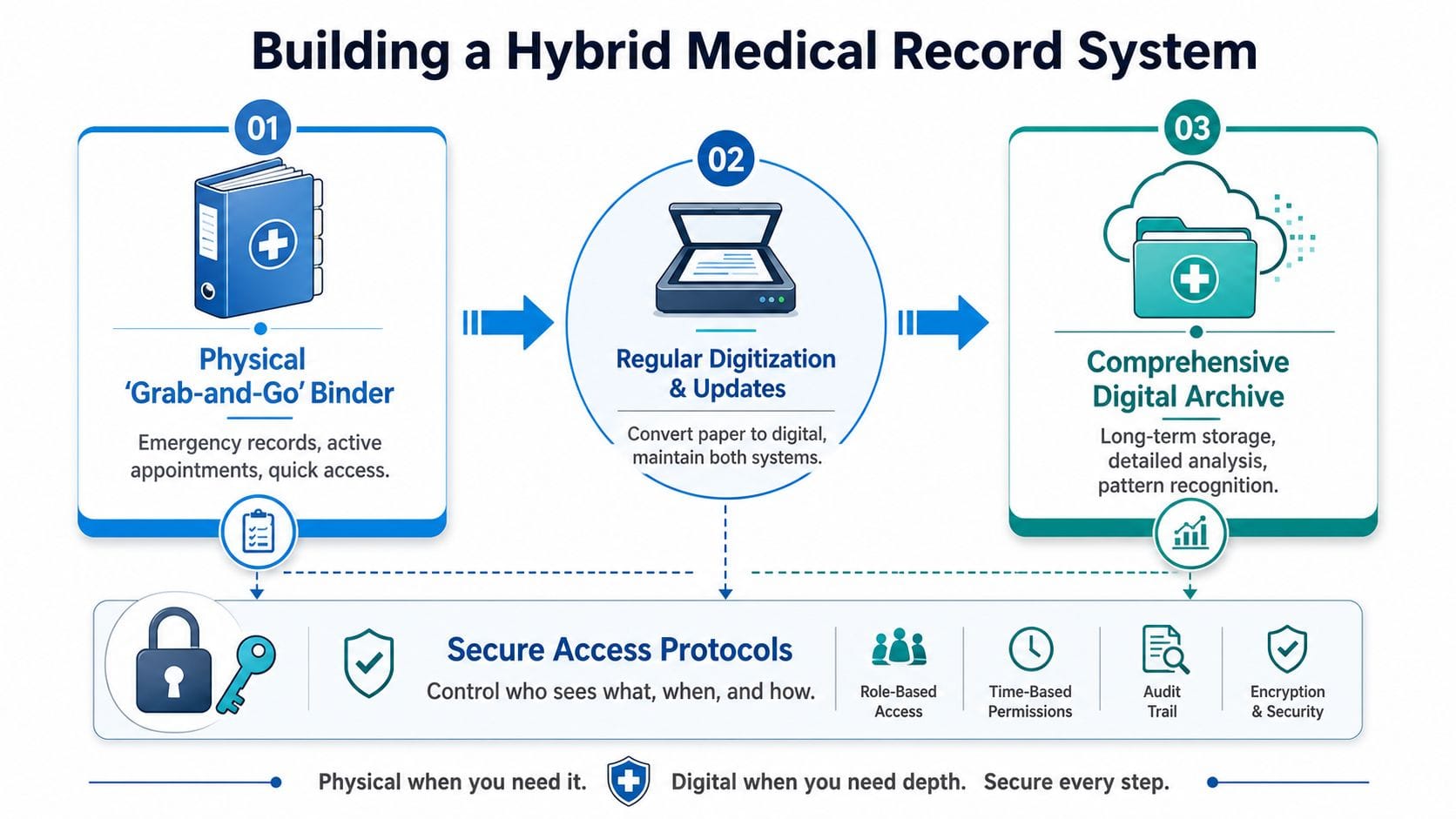
A hybrid setup works because each format has one clear job. Paper handles fast handoffs. Digital storage handles history, search, and comparison over time. That split matters for families of neurodivergent children because care rarely stays inside one office. You are tracking patterns across medicine, therapy, school, behavior, sleep, and daily support. A static binder can store records. It cannot show how those records connect.
Build one active binder, not a paper archive
Keep the physical binder small enough to carry and current enough to trust. I tell parents to treat it like a field kit. If a document is only useful once a year, it does not belong in the front-line binder.
Include only the pages you reach for during real conversations:
Emergency sheet
Allergies, diagnoses, current medications, pharmacy, insurance, emergency contacts, and key provider numbers.One-page medical summary
Major diagnoses, surgeries, hospitalizations, baseline communication or sensory needs, and current specialists.Current care plans
Active therapy summaries, seizure or feeding instructions if relevant, school nurse forms, and any plan a caregiver may need to follow today.Recent appointment material
The latest visit summary, referral orders, pending tests, and your running question list.Consent and contact pages
Release forms, caregiver authorizations, and one updated provider list.
That binder should answer immediate questions without forcing you to sort through five years of history in a waiting room.
Let the digital side carry the full timeline
The digital archive holds everything the binder should not. Store full reports, old evaluations, prior IEPs, imaging results, denied claims, appeal letters, and retired care plans there. Organize it in a way that supports comparison, not just storage.
Two approaches work well in practice. Some families sort by category first, then year. Others sort by year or school year first, then category inside each folder. Choose the version you will maintain. The best structure is the one you can update when you are tired.
A useful rule is simple. Active documents stay in the binder. Everything else lives digitally, with a scanned copy of anything you cannot afford to lose.
For paper records that arrive as clunky PDFs, it can help to convert healthcare PDFs to Markdown before pulling key details into your notes. That makes summaries easier to search, annotate, and reuse when you are preparing for care meetings.
Set up your system around decisions, not storage
This is the trade-off many articles miss. A perfectly labeled binder can still fail if it only stores documents and never helps you spot patterns. Families managing autism, ADHD, epilepsy, anxiety, sleep problems, feeding issues, or medication changes need a system that supports collaboration and recall.
That means your hybrid setup should connect records with lived data. If your child starts a new medication in September and behavior incidents rise in October, you need to see those dates side by side. If school reports afternoon dysregulation but your home notes show poor sleep for three nights before each rough day, that matters. The point is not to create a prettier archive. The point is to make decisions with less guesswork.
If you are already tracking support time at home or across therapies, a structured app for logging hours can strengthen the record trail and make later review far more useful.
Use a simple rotation rule
The binder stays usable when you remove stale documents on a schedule. At the start of each school year, move last year's school and therapy paperwork out of the active binder. After a major care change, replace outdated medication sheets and care instructions right away. Keep one current version in front. Archive the rest digitally.
That rhythm reduces clutter, but it also protects accuracy. In special needs advocacy, outdated paperwork causes real problems. Schools use the wrong plan. Specialists miss prior recommendations. Caregivers follow old instructions. A lean binder and a well-kept digital archive prevent that.
The strongest systems are shareable, selective, and built for pattern recognition. Paper gives you speed in the room. Digital records give you memory across months and years. Families usually need both.
Digitizing Records for Actionable Insights
Scanning records is only the first step. A pile of PDFs can become the same mess as a pile of paper if you don't name, sort, and connect them in a way that helps you think.
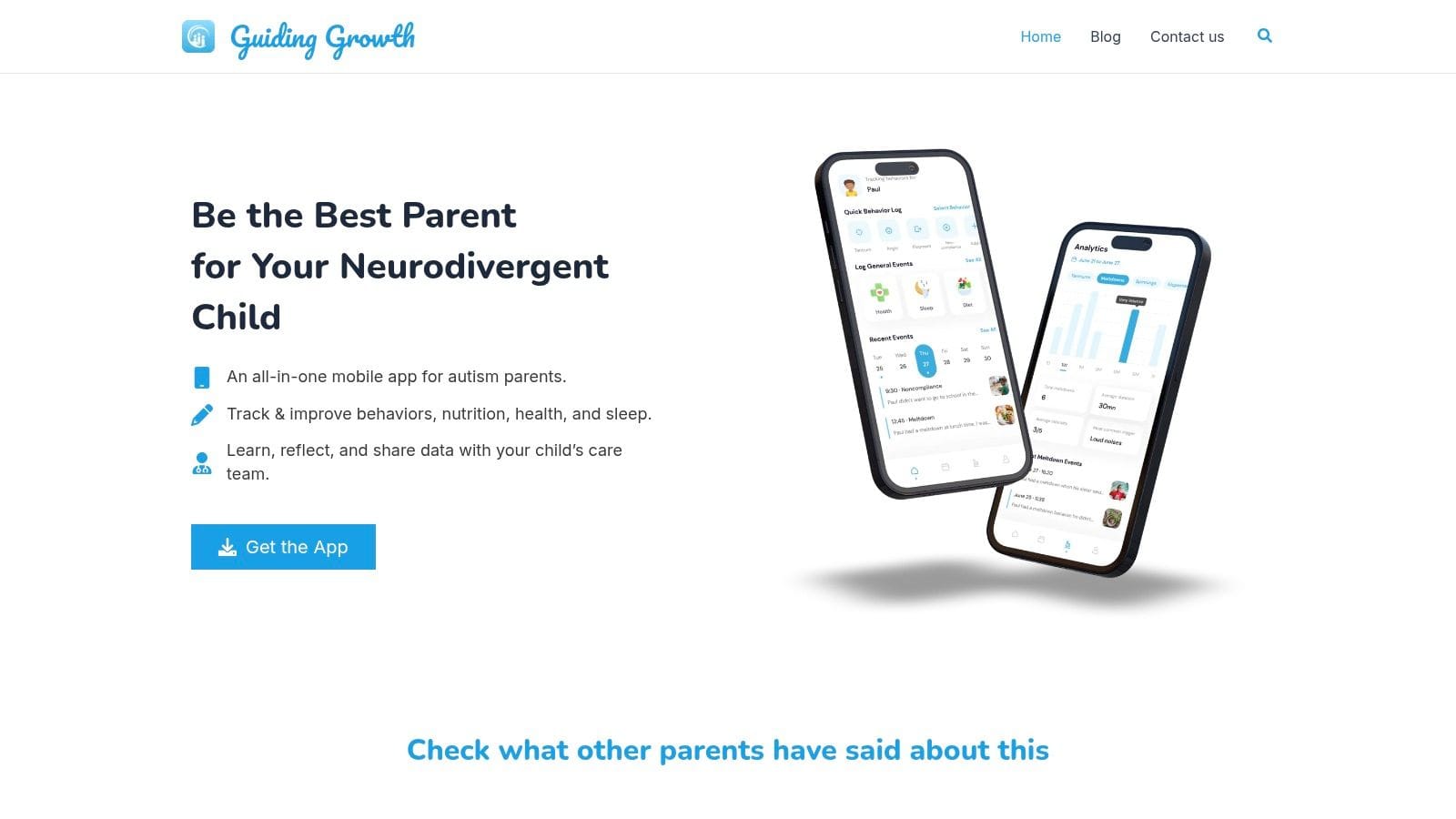
A key advantage of digitizing is pattern recognition. If a behavior shift lines up with a medication change, a sleep disruption, or a school transition, your system should help you see that. Static storage doesn't do that well. Time-stamped digital records do.
Use a naming system that surfaces patterns
Name files so they sort chronologically and tell you what they are before you open them.
A simple structure works well:
- YYYY-MM-DD_DocumentType_Provider
- YYYY-MM-DD_Topic_Summary
- YYYY-MM-DD_SchoolOrTherapy_RecordType
Examples:
- 2026-10-25_SleepLog_Summary.pdf
- 2026-09-03_Neurology_MedicationChange.pdf
- 2026-11-12_School_BehaviorIncident.pdf
- 2026-11-20_OT_ProgressReport.pdf
Use top-level folders like these:
| Folder | What goes inside |
|---|---|
| Medical | Diagnoses, visit summaries, labs, imaging, medications |
| Therapy | ABA, OT, speech, counseling, home plans |
| School | IEPs, evaluations, nurse forms, behavior plans, communication |
| Daily Logs | Sleep, diet, toileting, meltdowns, seizures, medication notes |
| Insurance | Authorizations, denials, approvals, appeals |
| Archive | Prior years, outdated evaluations, closed episodes of care |
Document conversion matters. If you have scanned reports that are hard to search or reuse, tools that convert healthcare PDFs to Markdown can make long records easier to review, summarize, and compare across dates.
Build the one-pager first
The single most important digital document is the master page, sometimes called the one-pager. The NIH guidance cited by CHADD says to begin with a master page listing key data points such as the child's name, birth date, blood type, emergency contact, diagnoses including co-occurring conditions, plus a detailed medication log with current dosages, generic versus brand information, and past medications that caused side effects or didn't help. That guidance is described in this article on setting up and maintaining medical records.
That one page should answer the questions providers ask most often:
- Who is this child?
- What are the current diagnoses?
- What medications are being used now?
- What has already been tried?
- Who should be called in an emergency?
Parents often skip this because it feels tedious. It is tedious if you rebuild it manually every time something changes. But if you keep one digital master version and update it after appointments, it becomes the anchor for the whole system.
Here's a useful walkthrough of organizing records with digital support:
Digital organization becomes powerful when it's built for comparison, not just storage. If you can pull up medication changes, sleep summaries, and school behavior notes from the same month in a few clicks, you're no longer guessing. You're bringing evidence into the conversation.
Creating Secure Sharing Protocols for Your Care Team
Most families don't have one caregiver. They have a network. A parent, grandparent, school nurse, babysitter, therapist, pediatrician, and specialist may all need some information, but they should not all get the same packet.
That's where many home-grown systems break down. People improvise. They forward PDFs by email, text photos of medication labels, or send screenshots from a portal. It feels fast. It also creates confusion and privacy risk.
Recent data indicates that 42% of parents of neurodivergent children struggle with coordinating care due to privacy barriers, and 55% avoid digital sharing altogether because of data breach fears. Those concerns are valid. The answer isn't avoiding sharing altogether. It's building a simple protocol for who gets what.
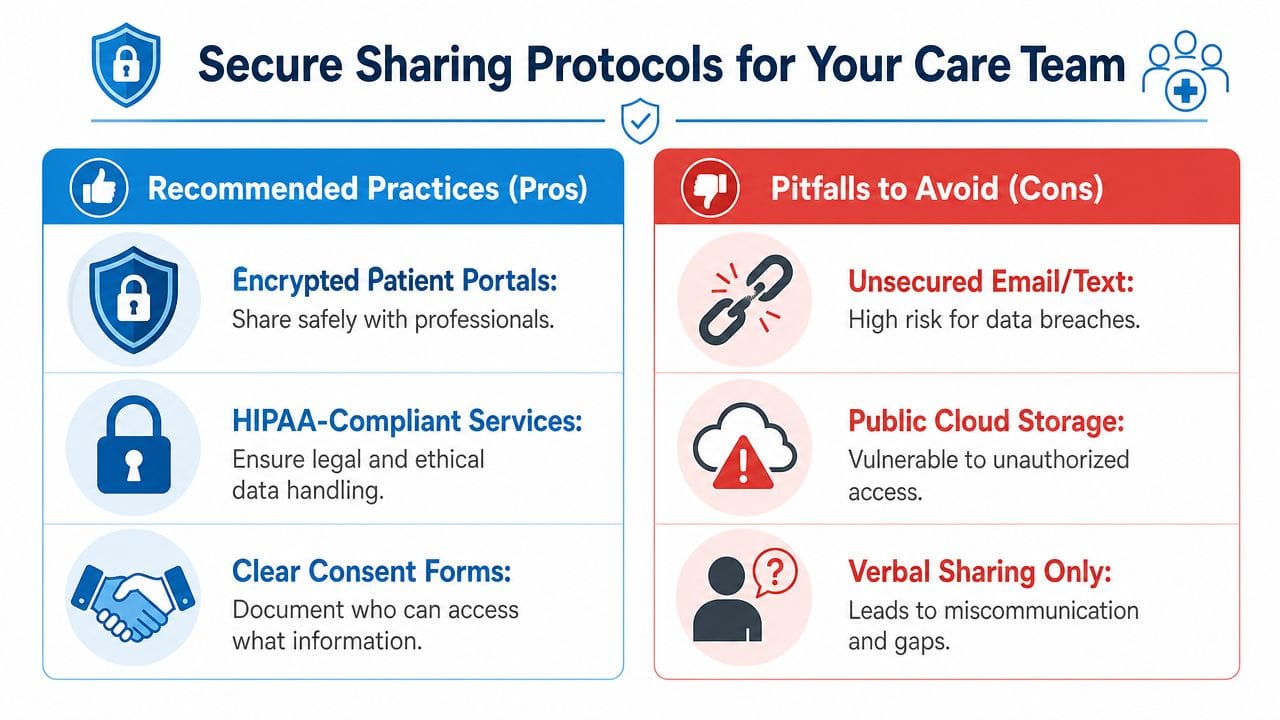
Share by role, not by convenience
Every person on your child's care team has a role. Share according to that role.
Use these principles:
Need-to-know access
A babysitter may need allergies, medication timing, and emergency numbers. They do not need the full diagnostic file.Topic-specific sharing
An ABA therapist may need behavior logs and relevant medication changes, but not insurance denials or unrelated specialist reports.Current documents only
Share the active version of a care instruction, not a folder full of outdated forms.Written permissions and clarity
Keep consent forms and release documents in one place so you know what can be shared and with whom.
If you can't explain in one sentence why someone needs a record, don't send that record.
A simple sharing map for common caregivers
| Caregiver or Professional | Share This | Avoid Sending |
|---|---|---|
| Grandparent or babysitter | Emergency sheet, allergy list, medication schedule, key calming supports | Full medical history |
| School nurse | Medication form, diagnosis summary if relevant to care, emergency instructions | Therapy notes unrelated to school care |
| ABA therapist | Behavior logs, trigger notes, recent relevant medication changes | Insurance files, unrelated medical reports |
| New specialist | One-pager, recent evaluations, medication history, key labs or imaging relevant to referral | Entire archive without review |
| Family member helping with appointments | Current provider list, appointment summaries, questions list | Broad access to everything unless needed |
Good sharing protocols also improve collaboration. If your family is trying to keep therapists, caregivers, and school supports aligned, a structured framework helps prevent mixed messages and duplicate reporting. This guide to collaborative autism care teams is useful for thinking through those handoffs.
The safest system is not the one that never shares. It's the one that shares selectively, clearly, and consistently.
Maintaining Your System with a Simple Monthly Routine
A month passes fast in special needs parenting. One after-visit summary stays in the car. A medication adjustment lives in a portal message. A school note disappears into a backpack. By the time the next appointment arrives, the folder may look tidy while the facts are already out of date.
That is why I recommend a monthly maintenance rhythm instead of waiting for a major cleanup. Families keep up with systems that ask for 20 to 30 minutes, not half a Saturday.
The 30-minute reset
Pick one recurring time each month and protect it. Use the same checklist so you do not have to decide what to do from scratch.
Add new records
Download portal summaries, scan paper handouts, and place each item in its correct digital folder or physical section.Update the one-pager
Revise medications, diagnoses, provider names, emergency contacts, and any care instructions that changed.Archive inactive paperwork
Move expired forms, old referrals, and completed authorizations out of the active file so the current section stays useful.Prep for upcoming appointments
Write down questions, note missing forms, and pull the few records you may need to share.Check shared care information
Confirm that school staff, respite providers, therapists, and other caregivers are working from the current version of medication and support details.
Small resets prevent big errors.
The format matters less than whether you can keep it current. A color-coded binder can work. A shared digital folder can work. A hybrid system usually works better for families managing specialists, school communication, behavior notes, and daily care updates at the same time. Static binders are good for storage. They are not always good for spotting patterns across sleep, diet, medication changes, meltdowns, and appointments.
That is the reason to maintain the system every month. You are not just filing paperwork. You are building a record you can use. Over time, regular updates make it easier to notice that sleep dropped before behavior changed, or that a medication shift lined up with appetite problems, or that school incidents cluster on therapy days.
If your current setup depends on scattered notes, screenshots, and memory, monthly upkeep will still help. If you want a system that is easier to share, easier to update, and better at showing patterns, digital tracking tools solve problems a binder cannot.
A simple monthly routine keeps your records current, your archive under control, and your next handoff less stressful.
If you want one place to track behavior, sleep, diet, medications, appointments, and care collaboration without relying on scattered notes and static binders, Guiding Growth is built for that job. It helps families turn daily observations into usable patterns, keep essential information current, and coordinate with the people who support their child.