You're in the waiting room, and the clinician asks a simple question that doesn't feel simple at all: “How long did the bedtime struggle last this week?” Then comes the follow-up. “Was it worse after therapy days? Did it happen before dinner or after? Any common trigger?”
You know you've lived it. You know it mattered. But now you're trying to reconstruct a hard week from text messages, a note in your phone, a half-filled planner, and whatever your exhausted brain can still retrieve.
That's why many parents start searching for an app for logging hours. Not because they want a freelancer timer or an invoice tool. They want a way to capture care in real life. Therapy sessions. Sleep disruptions. Medication timing. Meltdowns. Recovery time. Patterns that only become visible when the details stop living in five different places.
Table of Contents
- Beyond Spreadsheets and Sticky Notes
- Why Standard Time Trackers Fail Caregivers
- Must-Have Features in a Caregiver Logging App
- Building Your Daily Logging Workflow
- Turning Logged Hours into Actionable Insights
- Securely Sharing Data with Your Care Team
Beyond Spreadsheets and Sticky Notes
A parent can keep a handwritten notebook for a while. Many do. One page for sleep. Another for meals. A few sticky notes for therapy homework. Maybe a calendar reminder for medication. It works until the information needs to do more than exist.
The breaking point usually comes during appointments. You're asked to describe frequency, duration, timing, and what happened before and after. Memory gives you a rough impression. Care requires sharper detail.
What caregivers are actually trying to track
When parents look for an app for logging hours, they usually mean something much broader than “time tracking.” They need a record of what happened, when it happened, how long it lasted, and what surrounded it.
That can include:
- Therapy sessions: Start time, end time, what was practiced, what went well, what fell apart
- Sleep patterns: Bedtime routine, wake times, overnight disruptions, morning behavior
- Behavior events: Meltdowns, shutdowns, sensory overload, recovery window, likely triggers
- Health routines: Medication timing, food intake, appointments, side effects, bowel changes
- Daily functioning: School transitions, tolerance for demands, social energy, regulation after activities
A spreadsheet can hold some of this. It can't help much in the moment, especially when one hand is on a child and the other is grabbing whatever's nearby.
The best record is the one you can actually keep while life is happening.
Why old systems fall apart
Sticky notes don't sort themselves. Notes apps become long, messy timelines. Paper logs rarely show patterns unless someone manually reviews them. That review usually lands on the same parent who's already carrying scheduling, advocacy, communication, and emotional labor.
A useful system has to reduce stress, not add another chore. It should help you capture events quickly, return to them later, and spot connections you would not have seen from memory alone.
That's the standard worth using when you compare tools. Not “Can it log time?” but “Can it support care?”
Why Standard Time Trackers Fail Caregivers
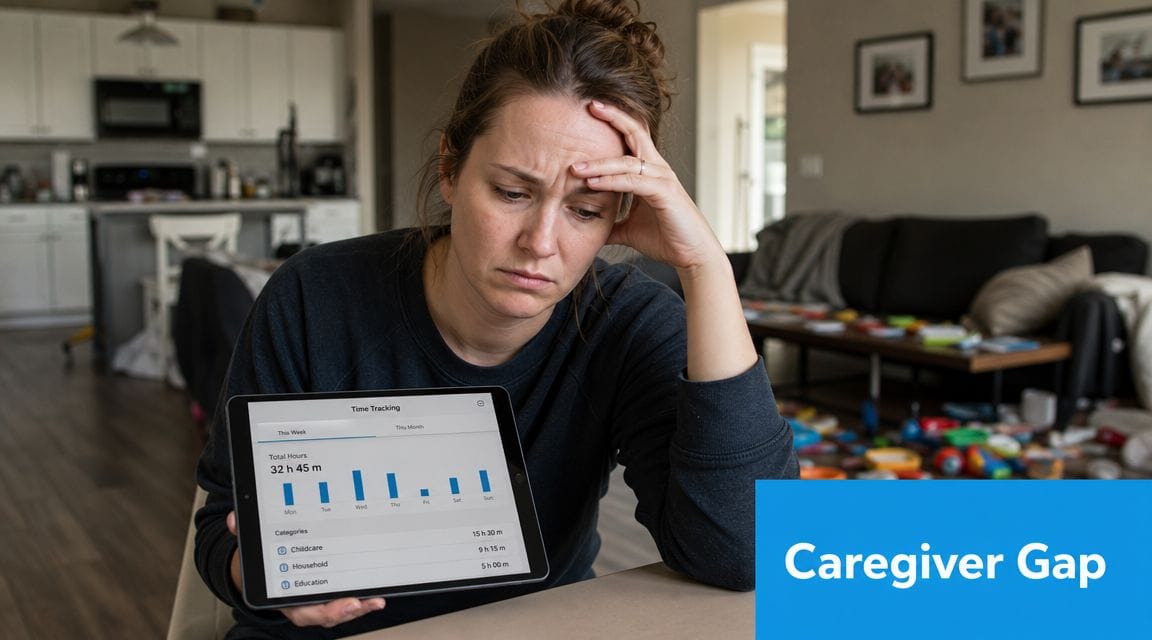
Most time-tracking apps were built for work. Their structure makes that obvious. They ask for a client, a project, a task, maybe a billable status. That makes sense for consultants, agencies, and payroll teams. It's a poor fit for a family trying to understand why Thursdays keep unraveling after speech therapy.
Business logic is not care logic
A standard tracker wants clean categories and predictable sessions. Caregiving rarely looks like that. A child may resist getting into the car, recover halfway through the drive, arrive dysregulated, then need an hour afterward to re-settle at home. Was that one event or four? In business software, that question barely matters. In caregiving, it matters a lot.
What parents need often includes context that work trackers don't prioritize:
| Need in caregiving | What generic time trackers usually prioritize |
|---|---|
| Triggers and environment | Projects and clients |
| Symptoms and outcomes | Billable vs non-billable hours |
| Notes for clinicians | Payroll and invoicing |
| Shared family observations | Team productivity |
| Behavior patterns over time | Timesheets and approvals |
Even simple hour logging is hard for many organizations
This mismatch becomes clearer when you look at how many workplaces still struggle with basic timekeeping. Factorial reports that 38% of companies still use paper timesheets and punch cards. If businesses still rely on manual methods for straightforward work hours, it's no surprise that generic tools often fall short for the far more nuanced recordkeeping parents need at home.
Caregiving data has moving parts that payroll logs don't. You're not just asking, “How many hours?” You're asking, “What was happening before the refusal, how long did co-regulation take, and did this follow a poor night of sleep?”
Practical rule: If a tool was designed mainly to create invoices or timesheets, assume you'll have to fight it to make it useful for therapy and development tracking.
Friction changes what gets recorded
A caregiver doesn't skip logging because they don't care. They skip it because the child is escalated, dinner is burning, a sibling needs attention, and the app wants six fields completed before saving.
That friction matters. It creates partial records, which create shaky conclusions. If you're already stretched thin, a clumsy tool can increase the same overload you're trying to reduce. Parents dealing with chronic strain often need systems that remove steps, not add them. That's one reason practical support around caregiver burnout prevention matters alongside any logging habit.
An app for logging hours can help. But only if it respects the practicalities of caregiving.
Must-Have Features in a Caregiver Logging App
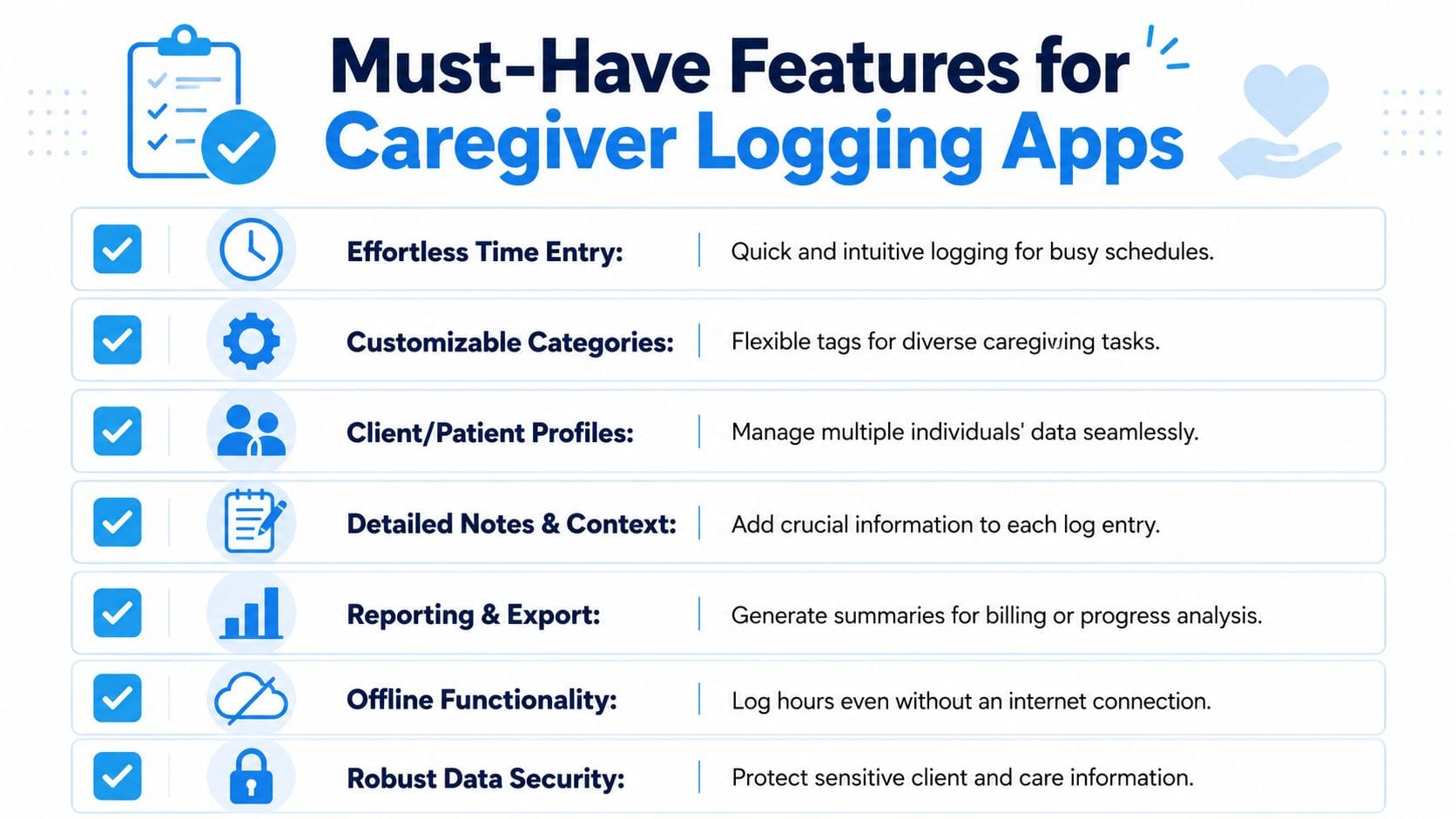
A caregiver logging app doesn't need more features. It needs the right ones. The difference matters. Many tools look polished in a demo and become useless the first time you try to log a difficult moment with a dysregulated child beside you.
Quick capture has to come first
If logging takes too long, you won't do it consistently. That doesn't mean you need less information. It means the app has to make fast entry possible.
The strongest tools let you capture an event with minimal taps, then add detail later if needed. A timer can be useful for something structured, like a therapy session, but many caregiving moments don't start cleanly or end neatly. Quick entry matters more than stopwatch precision in those cases.
Voice logging is especially valuable here. Typing a full note while your child is melting down isn't realistic. Speaking a short summary is.
Context tags turn a timestamp into useful information
A start time and end time alone won't help much six weeks later. You need context attached to the record.
Look for the ability to tag things like:
- Location: Home, school, car, clinic, grocery store
- Trigger: Transition, denied request, sensory overload, hunger, fatigue
- Support used: Break, snack, headphones, deep pressure, visual schedule
- Outcome: Recovered quickly, needed quiet room, skipped activity, fell asleep early
Without this layer, your log becomes a pile of isolated events. With it, patterns start to emerge.
Collaboration should be built in
Parents often aren't the only people observing the child. Co-parents, grandparents, aides, therapists, and teachers may all see different parts of the day. A workable app for logging hours should make sharing selective and simple.
Not everyone needs access to everything. A teacher may need behavior context around mornings. A clinician may need therapy follow-through and sleep notes. A co-parent may need the whole picture. Good collaboration tools respect those differences.
A shared log reduces the “I thought you told them that already” problem that slows down care.
Visualization matters more than people expect
Raw notes are helpful. Trends are better. Families need to see whether sleep disruptions cluster before rough days, whether a routine change improved transitions, or whether a therapy strategy is helping.
Useful visual reporting can include:
- Daily and weekly summaries
- Pattern views by category
- Searchable timelines
- Exportable reports for appointments
You don't need flashy charts. You need visuals that answer practical questions quickly.
Offline use is not optional
Parents log in parking lots, therapy offices, school pickup lines, waiting rooms, and homes with unreliable service. If the app only works well online, it will fail in ordinary life.
An app that supports offline capture protects the moment. You can sort and review later. That's far better than trusting memory after a long day.
Privacy has to be taken seriously
These logs can include health details, behavior notes, medications, and family routines. That's sensitive information. A caregiver app should make privacy expectations clear and give families control over who can see what.
A short decision filter
Before you commit, ask these questions:
- Can I log with one hand?
- Can I add notes without typing a paragraph?
- Can I track more than duration?
- Can I review patterns without exporting everything manually?
- Can I share only what a specific person needs to see?
If the answer to several of those is no, keep looking. A polished interface won't make up for poor fit.
Building Your Daily Logging Workflow
The best app for logging hours still won't help if you only open it when a specialist asks for records. Families need a rhythm that feels light enough to maintain on hard days.
A durable workflow starts small. Don't try to log everything at once. Pick the categories that affect your child's care decisions most right now. For one family, that's sleep and meltdowns. For another, it's medication timing and therapy carryover. For another, it's food, toileting, and school transitions.
Start with anchor events
Anchor events are the parts of the day that happen often enough to build a habit around. They create a structure for logging without forcing constant app use.
A simple setup might look like this:
- Morning: Sleep quality, wake time, medication, morning regulation
- After school or therapy: Session length, child's energy, any notable trigger or success
- Evening: Meals, bedtime routine, major behavior event, recovery time
This works because you're attaching logging to moments that already exist.
Use the method you'll actually keep using
The most effective logging method is the one that minimizes errors and missed entries when users are busy, stressed, or offline, as discussed in this guidance on reliable real-life logging methods. That matters in caregiving because life doesn't pause while you open an app, choose a category, and type a perfect summary.
For many parents, voice capture is the difference between “I'll enter it later” and “it's recorded now.” Even a short spoken note can preserve timing, context, and your immediate observation before the details blur. If you're trying to enhance information recall, tools and habits that reduce the memory burden are often more reliable than relying on end-of-day reconstruction.
Field-tested habit: Log the fact first. Clean it up later. A rough entry made now is more useful than a perfect entry you never get around to writing.
What to include in each kind of log
Not every entry needs the same level of detail. Keep the structure matched to the event.
Therapy sessions
Record the start and end, what the focus was, how your child entered the session, and how they were afterward. Post-session behavior is often as informative as the session itself.
Sleep and rest
Track bedtime, overnight disruptions, early waking, naps if relevant, and morning mood. If you notice a change in sensory tolerance or flexibility the next day, note that too.
Meltdowns or shutdowns
Don't aim for a perfect narrative. Capture the basics:
- what happened before
- when it began
- how long the intense phase lasted
- supports you used
- how recovery looked
Later, those short notes become comparable.
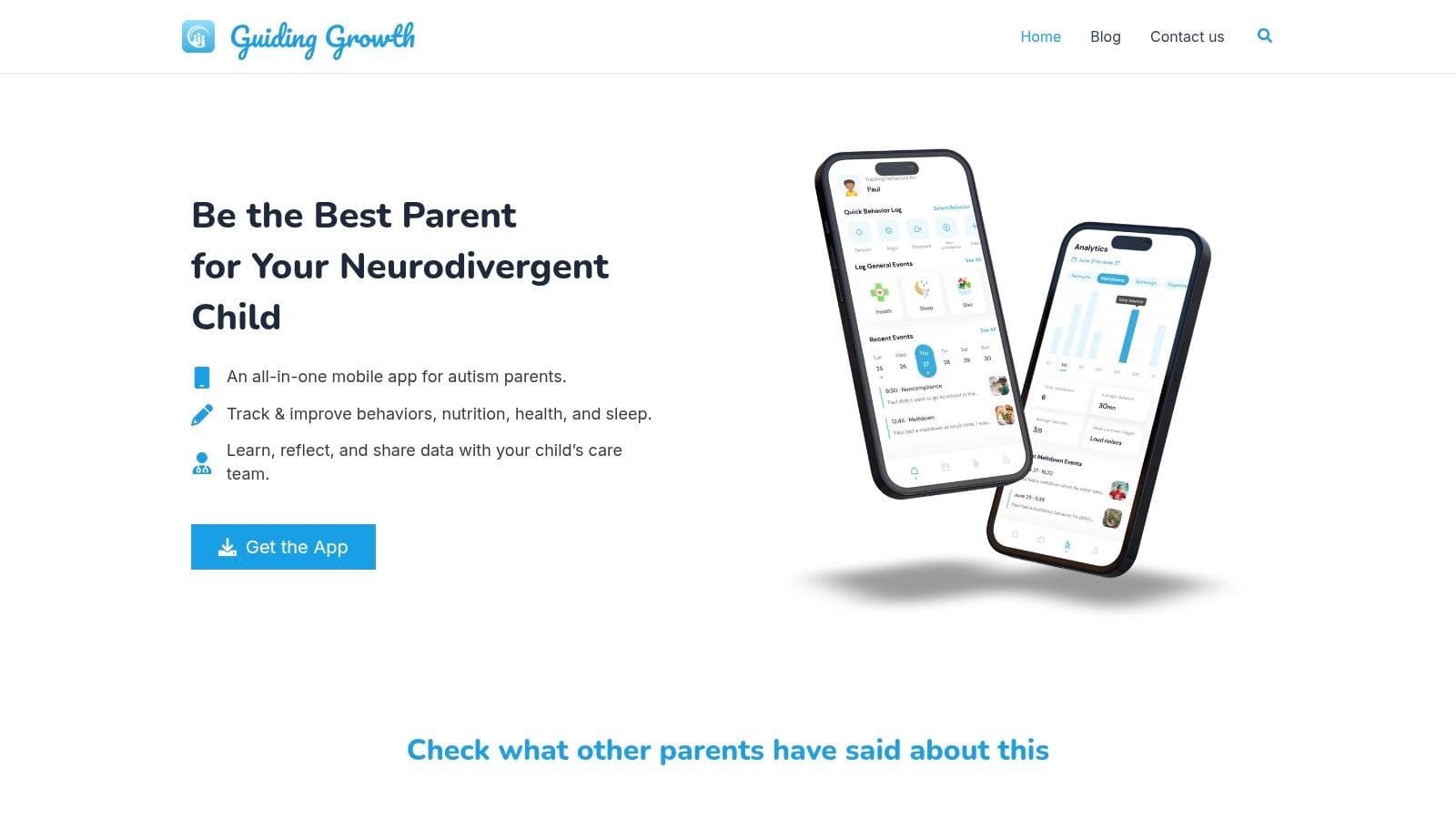
Here's a visual example of how a mobile workflow can support quick daily use:
Review once a day, not all day
Many parents make logging harder by trying to process the meaning of every event immediately. Separate capture from review. Log quickly in the moment. Then spend a few minutes once a day checking whether anything needs clarification.
That small review window keeps the app from turning into another constant mental task. It also protects accuracy, because you're confirming same-day events while they're still fresh.
Turning Logged Hours into Actionable Insights
A log becomes valuable when it changes the next decision. Otherwise, it's just storage.
Parents often start logging because they want better documentation. They keep logging because they start seeing relationships they couldn't reliably spot before. Not dramatic revelations every week. Small, usable patterns.
Look for repeated combinations
Single events can mislead. Repeated combinations are more useful.
For example, you may notice:
- rougher evenings after shorter sleep
- easier transitions on days with less schedule compression
- more distress after a specific therapy format
- better regulation when a snack happens before the car ride home
These are the kinds of observations that help families and professionals adjust routines.
Bring patterns to appointments, not just incidents. “This happened four times after late sessions” is easier to work with than “We've had a hard month.”
Prepare for meetings with evidence, not guesswork
A strong review habit makes appointments less stressful. Instead of trying to summarize weeks from memory, you can show what happened, when it happened, and whether it's becoming more frequent, less intense, or tied to specific conditions.
That shifts the conversation. You're no longer offering vague impressions. You're giving structured observations. Professionals can respond with more precision when the record is clearer.
For readers who want a contrast with workplace tools, Pebb for staff hour tracking shows how businesses treat hour logs as an operational record. Caregiving needs a different interpretation layer, but the same core principle applies. Time data becomes useful when people review it to support decisions.
Keep the review questions simple
You don't need advanced analytics to learn from your logs. Use a short set of questions:
| Question | Why it helps |
|---|---|
| What tends to happen before hard moments? | Surfaces triggers and setup conditions |
| How long does recovery usually take? | Helps with planning and support expectations |
| Which supports seem to shorten or soften the event? | Identifies what's worth repeating |
| Are things improving, staying flat, or getting harder? | Guides discussion with clinicians |
If you want a more appointment-ready framework, this guide on how to track autism therapy progress is useful for organizing observations into something professionals can act on.
The goal isn't to turn your child into a spreadsheet. It's to reduce uncertainty. Good logs help you notice what your exhausted brain might miss.
Securely Sharing Data with Your Care Team
Care gets easier when the adults around a child are working from the same picture. It gets harder when one parent has the sleep notes, another has the medication changes, the therapist has a separate notebook, and the school only hears about problems after a rough week.
Share what's useful, not everything
Not every person on the care team needs full access. Secure sharing works best when it's intentional.
A therapist may need:
- session-related behavior notes
- relevant sleep context
- carryover from home
A doctor may need:
- medication timing
- side effects
- duration and frequency patterns
A co-parent may need the full daily record so handoffs are smoother and fewer details get lost.
Privacy controls build trust
Families should decide who sees what. That protects sensitive information and makes collaboration more comfortable. It also improves the quality of communication because people get the details that matter to their role, not a flood of unrelated notes.
Clear records lower the pressure on parents to retell the same story over and over.
Better records improve evaluations and follow-up
When data is organized and shareable, appointments become more productive. Evaluations, progress reviews, and treatment adjustments all benefit from records that are searchable and coherent.
If you're trying to get everything in order for a formal process, this resource on how to organize autism records for evaluations can help you pull scattered notes into a format professionals can use.
The right app for logging hours doesn't just help you remember what happened. It helps the whole care team respond better, with less guesswork and less repetition.
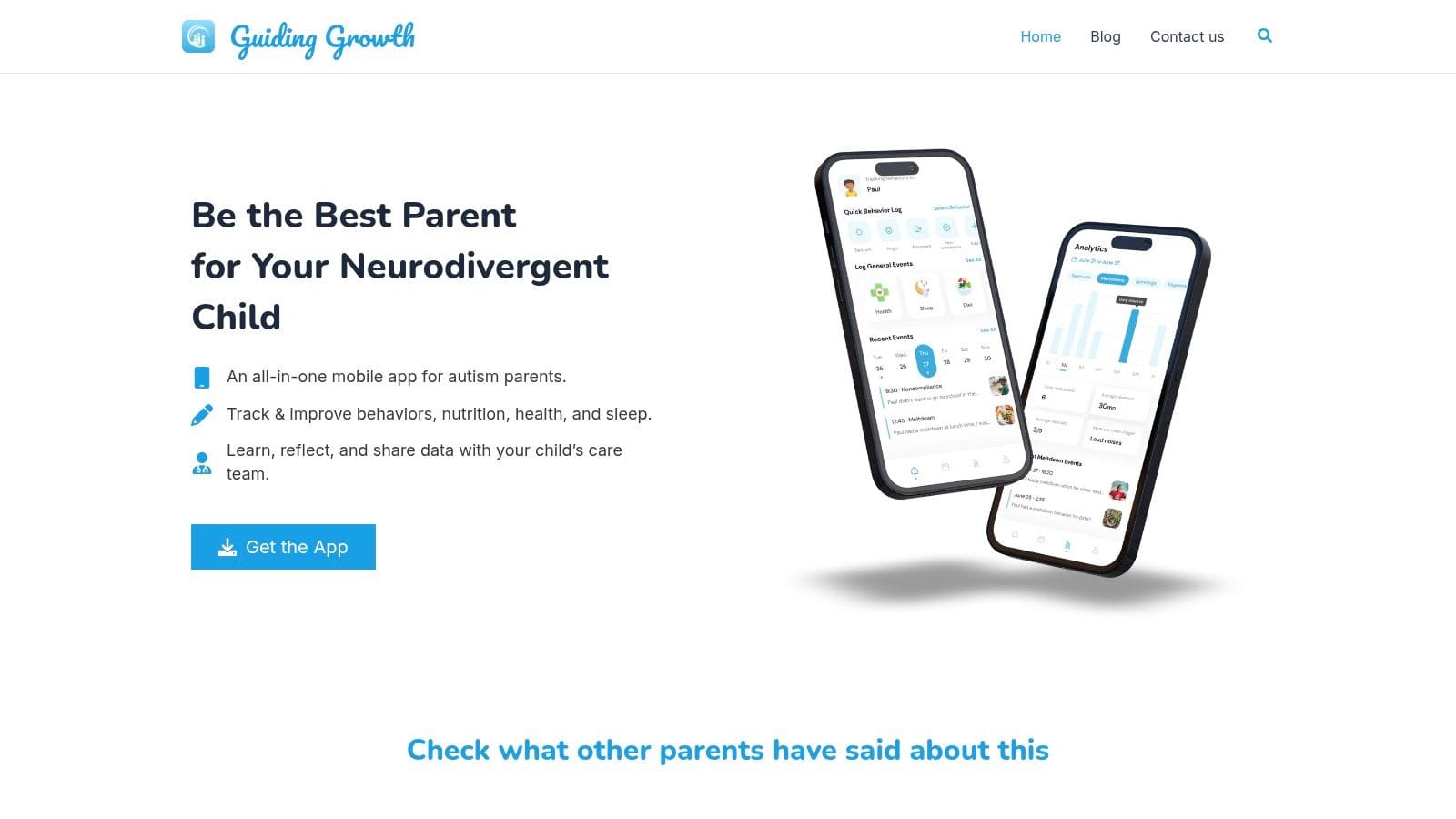
If you're tired of piecing together sleep notes, therapy times, behavior logs, and appointment details from five different places, Guiding Growth gives you one place to track daily care, capture context quickly, and share what matters with the people supporting your child. It's built for real caregiving life, not billing desks and timesheets.