At 9:47 p.m., you're kneeling in the hallway with your phone in one hand and your child's needs in the other. A meltdown has just ended, but you're still listening for movement from the next room. You want to record what happened, including the transition, the noise, the food, the sleep the night before, and the moment things escalated. Your thumb hovers over a notes app, but typing one-handed feels impossible.
Then the moment passes. You get your child settled, clean up, and finally lie down. Another entry stays unwritten. The small guilt arrives with it, the feeling that useful information disappeared when you needed it most.
A voice recorder app can remove that barrier. Instead of organizing sentences while you're tired and stressed, you press record and describe what you remember. For autism parents, that can make the difference between a vague impression and a useful record of triggers, responses, and outcomes. The hands-free note-taking approach is especially practical when your attention needs to stay with your child.
Table of Contents
- The Moment Typing Stops Working
- What a Voice Recorder App Actually Does
- Features That Matter Most for Autism Parents
- Typing Versus Talking for Behavior Logs
- How to Evaluate and Choose the Right App
- What Patterns Emerge From Consistent Voice Logs
- Your First Week of Voice Logging
- Moving From Scattered Notes to Confident Action
The Moment Typing Stops Working
The hardest time to document a difficult event is often immediately after it happens. Your child may still be dysregulated, your other children may need help, and you may be trying to remember whether the trigger was a demand, a loud sound, a change in routine, or several things at once.
Typing asks you to make decisions before you've recovered. You have to open the right app, find the right field, choose words, correct autocorrect errors, and decide what matters. Even a short note can feel like paperwork when your nervous system is still on alert.
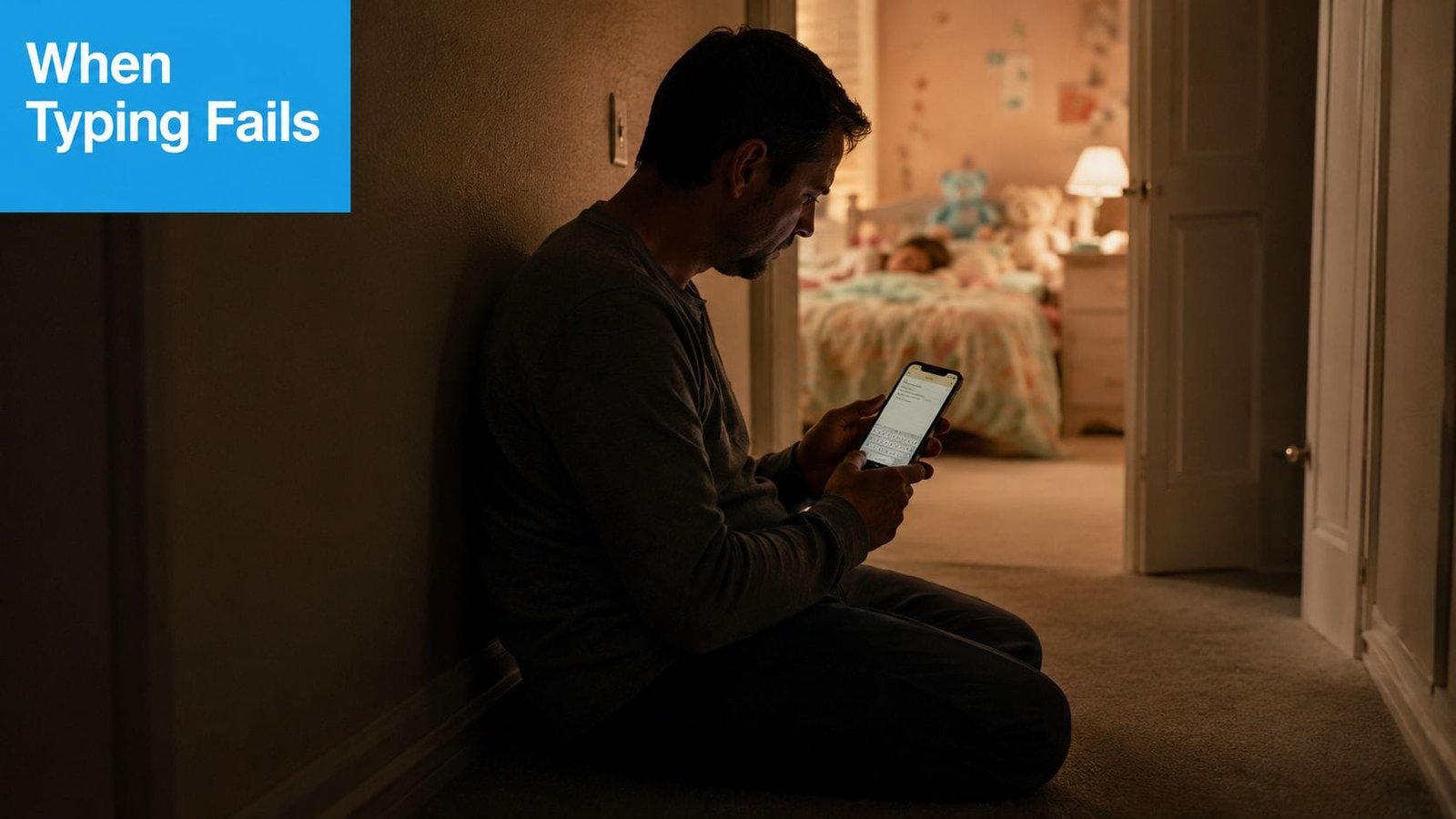
A spoken note changes the order of operations. You capture first, organize later. You might say, “After bath, we turned off the bathroom light. He covered his ears, dropped to the floor, and pushed away pajamas. The hallway was noisy because the washing machine was running. He calmed after the light was turned back on and the pajamas were offered without a verbal demand.”
That note contains context you might forget by morning. It also preserves your natural description of the event, rather than forcing you to reduce a complicated moment to a few hurried keywords.
Practical rule: Record what you can while the details are fresh. You can clean up the wording later, but you can't reliably recover details that never made it into the record.
The value isn't that every recording must be perfect. The value is that a voice recorder app turns the few seconds between a meltdown ending and exhaustion settling in into a usable, searchable record, without demanding a single keystroke.
What a Voice Recorder App Actually Does
A voice recorder app captures spoken audio on your phone, saves it locally or in cloud storage, and lets you play it back later. Many apps also add transcription, search, tags, and timestamps, so a recording becomes more useful than an isolated sound file.
A helpful comparison is a baby monitor with a memory. A baby monitor lets you hear what's happening now. A recorder remembers what you said, when you said it, and, with the right organization tools, how to find it again weeks later.
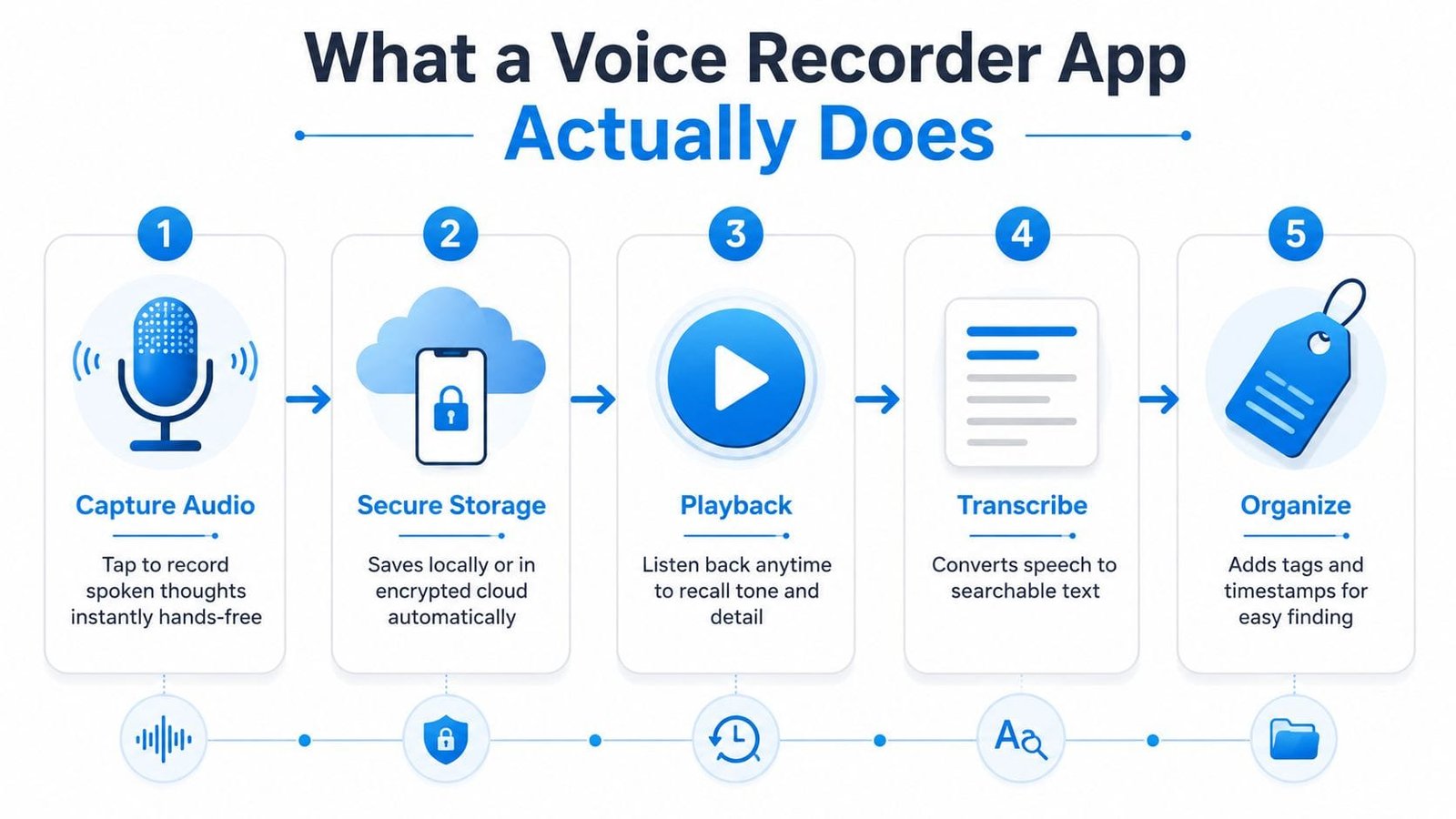
Capture
The first building block is immediate recording. A useful app should make the path from thought to audio short. You tap, speak, and stop. Some apps can continue recording while the screen is locked, which matters when you're carrying a child, preparing food, or trying not to add more stimulation.
Store
Storage determines whether your notes become a record or a pile of forgotten files. Look for dates, folders, labels, or tags. A file named “recording 17” tells you very little later. A file connected to bedtime, sleep, or transition gives you a reason to open it.
Play back
Playback lets you revisit tone and detail. Speed controls can help when you're reviewing several notes, while scrubbing lets you return to a specific moment. Looping can be useful when you're trying to understand a repeated sound, phrase, or environmental detail.
Transcribe and organize
Many current apps add speech-to-text, searchable transcripts, summaries, or tags. That matters during a short school meeting or therapy appointment because you can search for a word such as “sleep,” “lunch,” or “noise” instead of replaying every recording.
The technical choice also affects how the app feels day to day. Modern mobile recorders commonly use AAC audio in an M4A container, with speech-oriented settings around 64 kbps at 48 kHz, according to this comparison of mobile recording apps. Apple Voice Memos can also use ALAC lossless recording, although lossless files take more storage and can be slower to sync.
Features That Matter Most for Autism Parents
The best feature list depends on the moment you're trying to survive. A podcast editor may offer impressive controls, but those controls don't help much if you need to record a trigger while supporting a child through a transition.
Turn speech into usable text
Transcription can turn a spoken note into a searchable paragraph. You might record three minutes about a difficult morning, then use the transcript to prepare an email for a BCBA, teacher, or pediatrician.
Accuracy still needs checking. Names, sensory terms, and emotionally important details can be misheard, especially when there's background noise. Treat transcription as a draft that saves effort, not as a perfect clinical record.
Preserve time and context
Timestamps help you see when events happen, not only what happened. If you keep recording short notes after school, you may notice that difficult transitions repeatedly occur at the same point in the afternoon. The timestamp doesn't explain the cause, but it gives you a question to investigate.
Auto-tagging can make this faster, although manual tags are often more reliable when the context is personal. Useful labels might include #sleep, #food, #transition, #sensory, #school, or #therapy.
Protect sensitive information
Behavior notes about a minor deserve careful handling. Check whether transcription happens on the device or on a remote server, whether recordings are encrypted, whether the app uses a passcode, and whether you can choose local storage instead of cloud backup.
The distinction between offline recording and offline transcription is easy to miss. VoiceScriber's explanation of offline transcription notes that many apps can record without an internet connection but still require an upload before converting speech to text. If privacy or connectivity is a concern, confirm that the app performs speech-to-text locally before relying on it.
Control exactly what you share
A sharing feature should let you send one clip or one transcript without exposing your entire library. That matters when a therapist needs context about one event, while a co-parent may need a broader weekly summary.
For broader support around communication and care planning, the Providers for Healthy Living autism blog can provide additional parent-focused context. A recorder won't replace professional guidance, but it can help you bring clearer observations into those conversations.
| Feature | What It Does | Real Parenting Problem It Solves |
|---|---|---|
| Voice-to-text transcription | Converts spoken notes into searchable text | Reduces the work of turning a difficult day into an email or appointment summary |
| Timestamps | Records when each entry was made | Helps reveal timing patterns around school, meals, sleep, or transitions |
| Context tags | Groups notes by themes such as sensory or food | Turns scattered observations into a pattern map |
| On-device processing | Converts or handles information locally | Limits unnecessary uploading of sensitive family information |
| Passcode and storage controls | Protects access and determines where files live | Helps keep a child's records private |
| Selective sharing | Sends one clip, transcript, or summary | Prevents a therapist or teacher from seeing unrelated entries |
Typing Versus Talking for Behavior Logs
Typing is useful when you have time, both hands, and enough calm to choose precise words. Those conditions don't always exist during autism parenting.
Consider a short transition from school to home. Your child refuses to leave the car, covers their ears, and becomes more distressed when you ask repeated questions. You're holding a backpack, trying to keep the younger sibling from wandering, and watching the clock.
With typing, you might wait until everyone is inside. By then, you remember the broad outline but lose whether the car radio was on, whether your child had eaten, or whether the transition began before the door opened.
With voice logging, you can press record after everyone is safe and say, “School pickup was hard today. The car radio was playing. He refused the seatbelt, covered his ears, and calmed after the radio was turned off and I stopped asking questions.” The note takes less effort because you're speaking in the same order the memory arrives.
| Factor | Typing | Voice Logging |
|---|---|---|
| Speed | Requires opening a field and entering text | Press, speak, and stop |
| Physical demand | Needs a free hand and screen attention | Can work while your hands remain available |
| Detail | Often delayed until later | Captures sensory and emotional context while fresh |
| Stress | Autocorrect and formatting add friction | Natural speech reduces the need to organize immediately |
| Review | Easy to scan if written clearly | Audio preserves tone, with transcripts improving search |
| Best use | Planned summaries and careful follow-up | Immediate capture after a difficult moment |
Talking doesn't automatically create a better record. A rambling note can still be hard to use. The advantage is that voice makes documentation physically possible when typing would be abandoned.
For autism parents, the choice isn't about preference. It's about which method can work during the actual moment, with a child in distress and your attention divided.
How to Evaluate and Choose the Right App
Start with privacy, not the prettiest interface. An app can offer summaries and smart search, but those features aren't worth much if you don't understand where your child's recordings go.
Tier one privacy
Before installing, ask:
- Processing location: Is audio processed locally, or sent to a cloud server?
- Storage: Are recordings saved on the phone, in the cloud, or both?
- Deletion: Can you permanently delete an entry and any associated transcript?
- Access: Does the app offer a passcode, biometric lock, or account security controls?
Privacy-focused coverage increasingly emphasizes keeping audio local by default, disabling cloud backup when appropriate, and checking whether transcription is performed on-device. The PCMag guide to voice recorder apps also highlights practical limits involving device families, models, and languages. Google Recorder is limited to Pixel devices, while Samsung Voice Recorder features vary by model and language.
Tier two offline capability
Recording without internet isn't the same as transcribing without internet. Confirm what happens when Wi-Fi drops, you're in a hospital, or a school building restricts connectivity. Speech-centric formats such as AMR can use very small files at around 8 to 13 kbps, but they sacrifice acoustic detail, as explained in this guide to voice recording formats.
Battery matters too. On-device processing can increase power use. One smartphone acoustic-monitoring study described in that guide found runtime falling from about 40 hours without digital signal processing to about 28 hours with processing enabled. That doesn't predict your phone's battery life, but it shows why local processing deserves a practical test.
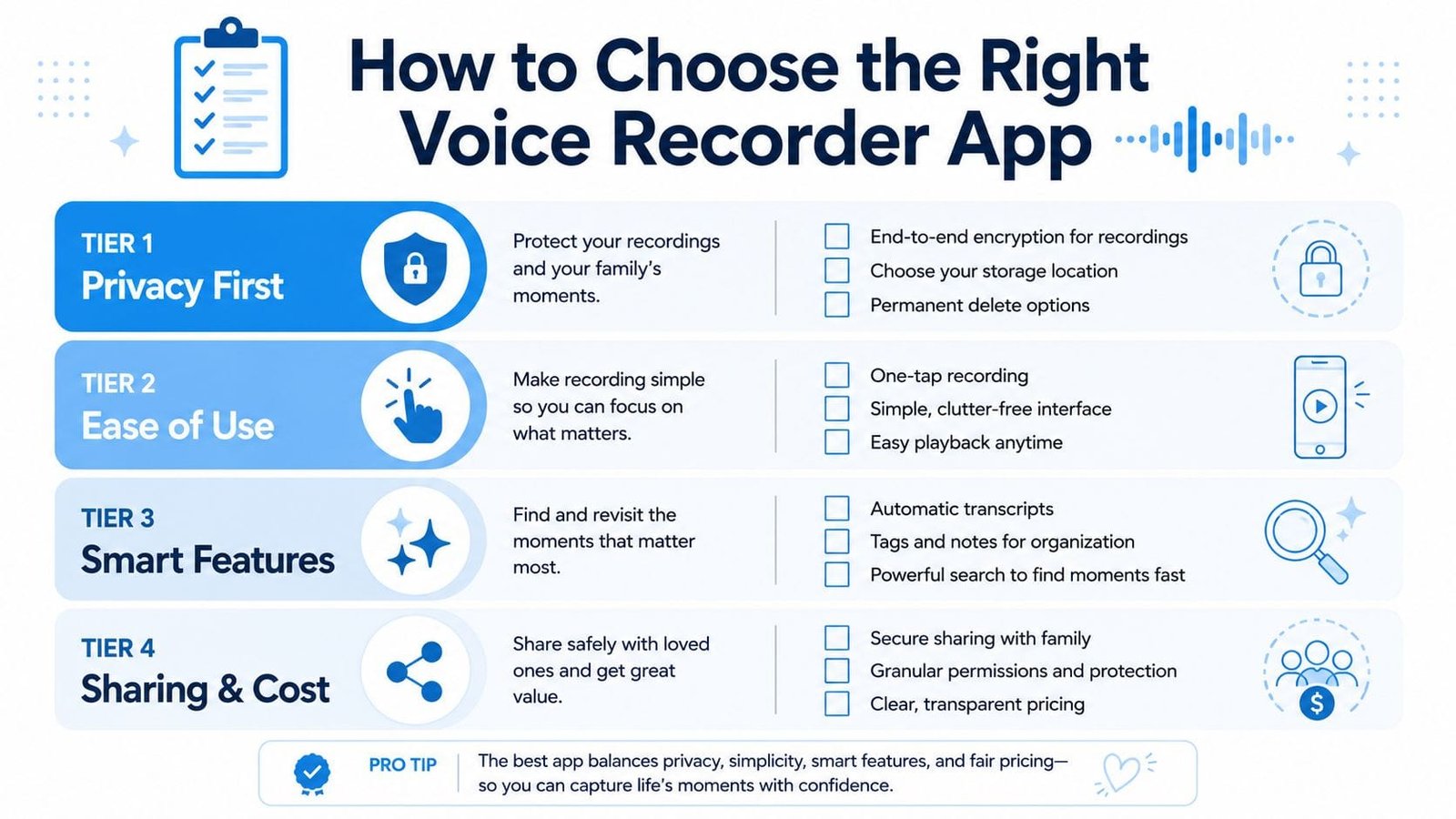
Tier three sharing
Try exporting one entry before you commit. Can you send a single audio clip, transcript, or PDF? Can a co-parent view a shared folder without accessing private notes? Can you revoke access later?
A useful voice recorder and transcription app overview can help you compare general capabilities, but your own test matters more than a feature list.
Tier four AI assistance
Ask whether AI tools create transcripts, tags, or summaries locally or through a cloud service. Also check whether you can disable those features. If the app fails your privacy or offline test, reject it, regardless of how polished the design looks.
For families evaluating privacy in a broader care workflow, HIPAA-related app considerations may offer useful questions to bring into the conversation with providers. Don't assume an app is appropriate for sensitive information because it uses the word “secure.”
What Patterns Emerge From Consistent Voice Logs
A single recording rarely answers the question you're carrying. Several weeks of brief, well-labeled notes can reveal relationships that are difficult to see in the middle of a hard day.
One parent might notice that difficult Fridays repeatedly follow a dentist appointment. The appointment itself may not appear dramatic in the moment. The pattern suggests a different question, perhaps whether anticipatory anxiety begins earlier in the week or whether the altered routine makes Friday harder.
Another family might record meals, sleep, and late-afternoon behavior in the same notes. Over time, they notice that vocal stimming appears more often after certain lunches. That observation isn't proof of a food cause, and it shouldn't lead to a restrictive change without appropriate professional advice. It does give the parent a concrete pattern to discuss rather than relying on a general feeling that “food might be affecting things.”
Environmental details can be just as important. Tags such as crowded, fluorescent lights, and loud HVAC may recur around difficult school pickups. A parent who logs only “bad pickup” misses the setting. A parent who records the surrounding conditions creates something a therapist or school team can investigate.
The useful dataset isn't one perfect note. It's a collection of ordinary notes that preserves context.
Voice-first logging supports this because you can capture observations close to the event, then add a quick tag. Later, searchable entries can help you compare routines, settings, and outcomes. Visualizing care data can also help families move from a list of recordings toward a clearer conversation about what to try next.
Your First Week of Voice Logging
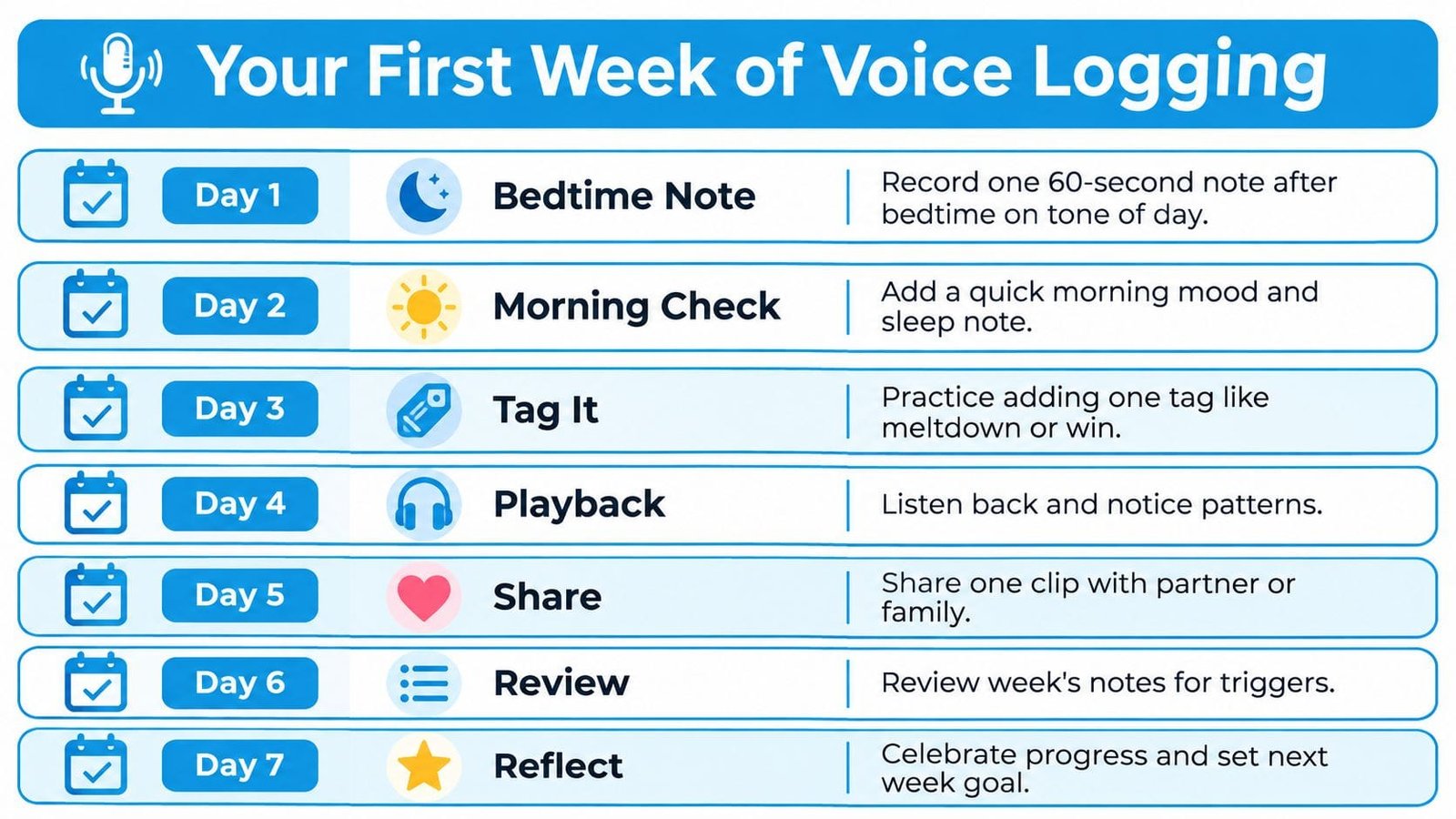
Keep the first week small. You're building a habit that has to survive school mornings, appointments, sibling needs, and nights when everyone is depleted.
- Day one, bedtime note: Record one short note about the tone of the day and any moment that stayed with you.
- Day two, morning check: Add a quick observation about sleep and morning mood.
- Day three, tag it: Use one simple tag, such as meltdown or win.
- Day four, playback: Listen to one entry and notice whether your memory matches the recording.
- Day five, share: Send one useful clip to a partner or family member, after checking that it contains only the information they need.
- Day six, review: Look across the week and mark recurring triggers, settings, or successful supports.
- Day seven, reflect: Spend a few minutes deciding which tags deserve a place in the next week.
Don't aim for complete coverage. A short note that you record is more useful than an elaborate template you avoid. If a day goes smoothly, record that too. Successful transitions and calming supports belong in the record because they show what your child can use, not only what went wrong.
Moving From Scattered Notes to Confident Action
Voice logging can become a quiet form of evidence gathering rather than another task you're failing to complete. When you bring clear examples to a therapy appointment, school conversation, or pediatric visit, you can discuss specific triggers, responses, and supports instead of trying to reconstruct an entire week from memory.
The routine is simple: record close to the moment, add a meaningful tag, protect the files, and share only what the other person needs. A market estimate places the voice recorder app category at USD 1.6 billion in 2024, with a projection of USD 3.3 billion by 2033 and an implied roughly 8.7% CAGR, according to Verified Market Reports. A separate estimate values the category at USD 2.64 billion in 2025 and projects USD 6.8 billion by 2035, at a 9.9% CAGR, while noting that smartphones held the majority share in 2022 and North America held the largest regional share that year, as reported by Wise Guy Reports.
Those estimates point to a broader reality. Voice capture has become a mainstream mobile behavior, but parents still need tools designed around privacy, fast access, and real family routines. Choosing a method that works with your brain, instead of demanding more from it, is a practical act of care.
Guiding Growth offers zero-typing voice logging, contextual tracking, visual insights, and sharing tools built for families supporting autistic and neurodivergent children. Visit Guiding Growth to turn quick spoken observations into organized information you can use with caregivers, educators, and clinicians.