Your morning starts before everyone's ready. One child is already melting down because the shirt feels wrong, breakfast is taking too long, and the words you're offering are landing too late to help. In that kind of home, assistive technology and autism aren't abstract ideas, they're the difference between constant friction and a day that can move forward.
The useful tools are rarely the flashiest ones. A simple picture card, a timer on a counter, a speech device that gets a child to “I need help,” or an app that turns chaos into patterns can change how a family functions. The point isn't to replace people, it's to give an autistic person a reliable way to participate, communicate, and get through real life with less strain.
Table of Contents
- Why Assistive Technology Matters in Daily Life
- The Evolution of Support and Legal Rights
- Key Types of Assistive Technology for Autistic Children
- Bridging Home and Therapy with Smart Tracking
- How to Choose and Implement the Right Tools
- Privacy, Ethics, and Digital Safety
- Read the data policy like it belongs to your child
- Partnering with Professionals for Lasting Success
Why Assistive Technology Matters in Daily Life
A school morning can fall apart before the front door even opens. One child can't tell you the shoes hurt, another can't handle the blender noise, and the third is stuck because the routine changed and nobody has a clean way to show what comes next. In those moments, talk-based reassurance often isn't enough, because the problem isn't effort, it's access.
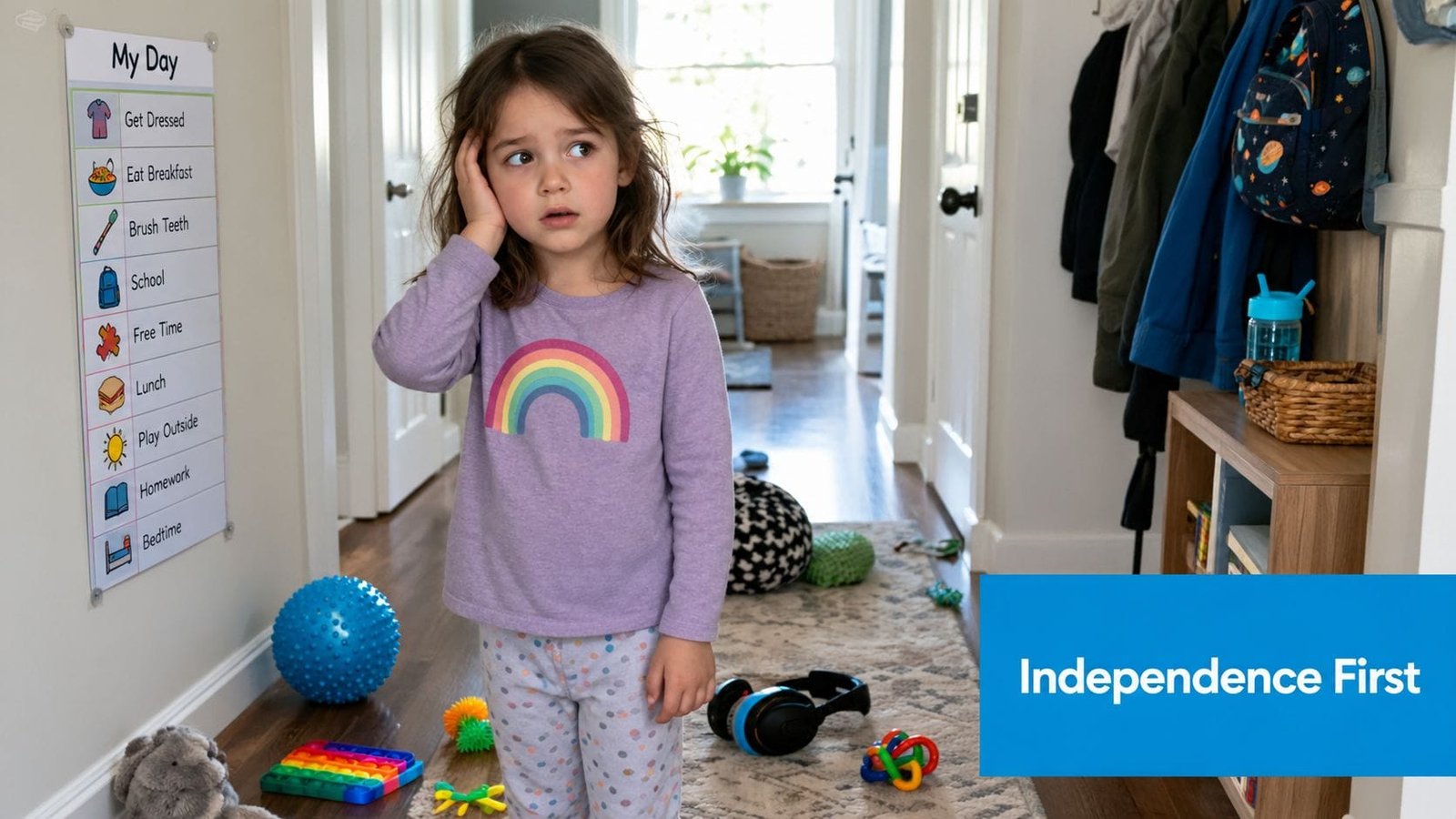
Assistive technology is any device, software, or strategy that helps an autistic person take part more fully in daily life. That can be low-tech, like a visual schedule or picture board, or high-tech, like a speech-generating device or a tracking app that helps a caregiver spot patterns. The common thread is function, not form.
Relief comes from reliable access
When a child can point to a card that means “break,” use a device to request water, or see a visual timer for the transition ahead, the whole household usually feels the shift. The child gets more control, and parents spend less energy guessing what went wrong.
Practical rule: If a tool doesn't reduce friction in a real routine, it's decoration, not support.
That's why AT matters most at the moment of need. It's not about making a child look more typical. It's about giving them a practical bridge to autonomy, especially when speech, sensory tolerance, or executive function breaks down under stress.
The Evolution of Support and Legal Rights
Assistive technology for autism didn't start as a polished digital category. It grew out of special education law, where the earliest funding and later amendments slowly pushed support from optional to expected. The legal history matters because families still need a framework when they ask schools for communication systems, sensory tools, or devices that travel between school and home.
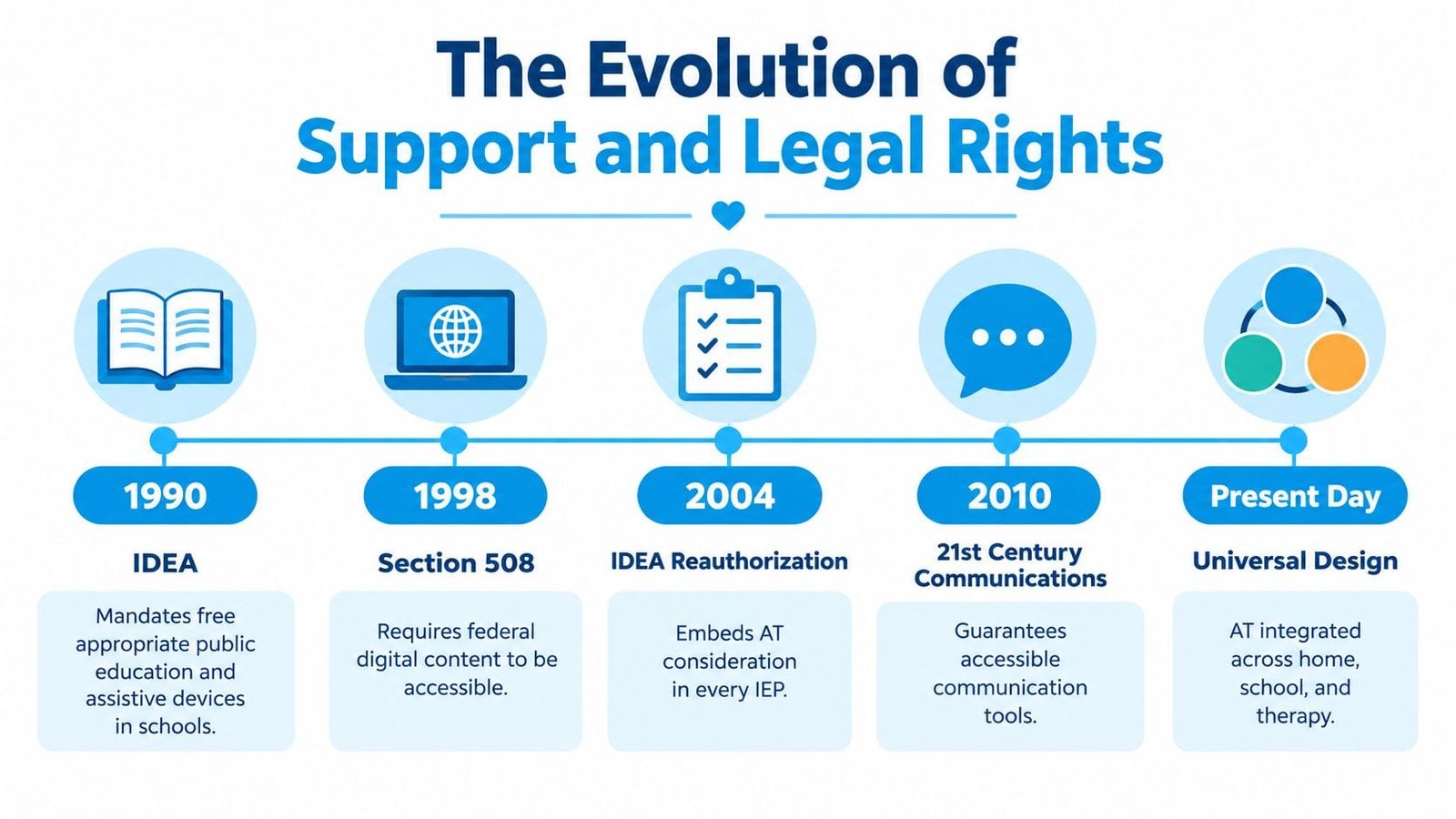
The 1990 change renamed the law to the Individuals with Disabilities Education Act and explicitly extended eligibility to children with autism while defining assistive technology devices and services for inclusion in a student's IEP. The 1997 amendment then made AT devices and services mandatory considerations in IEPs and allowed school-purchased devices to be used at home. That's a major shift, because it means a tool can't be treated as a nice extra when it's clearly part of access and participation. The legal progression is summarized in the historical review of autism and AT law published here.
Why that history still helps families
If a child uses a device at school but falls apart at home without it, the law gives families a way to argue continuity, not fragmentation. The same logic applies when a child needs communication support during therapy, in the community, or across caregivers. Families who understand that framework are better positioned to ask for consistency instead of settling for one setting at a time.
For parents comparing labels and service systems across countries, a resource such as F84.0 autism code India can help make sense of terminology, especially when they're navigating paperwork, school supports, or clinic documentation.
The strongest IEP conversations usually start with function, not diagnosis language. What does the child need to do, where do they get stuck, and which tool actually removes that barrier?
Key Types of Assistive Technology for Autistic Children
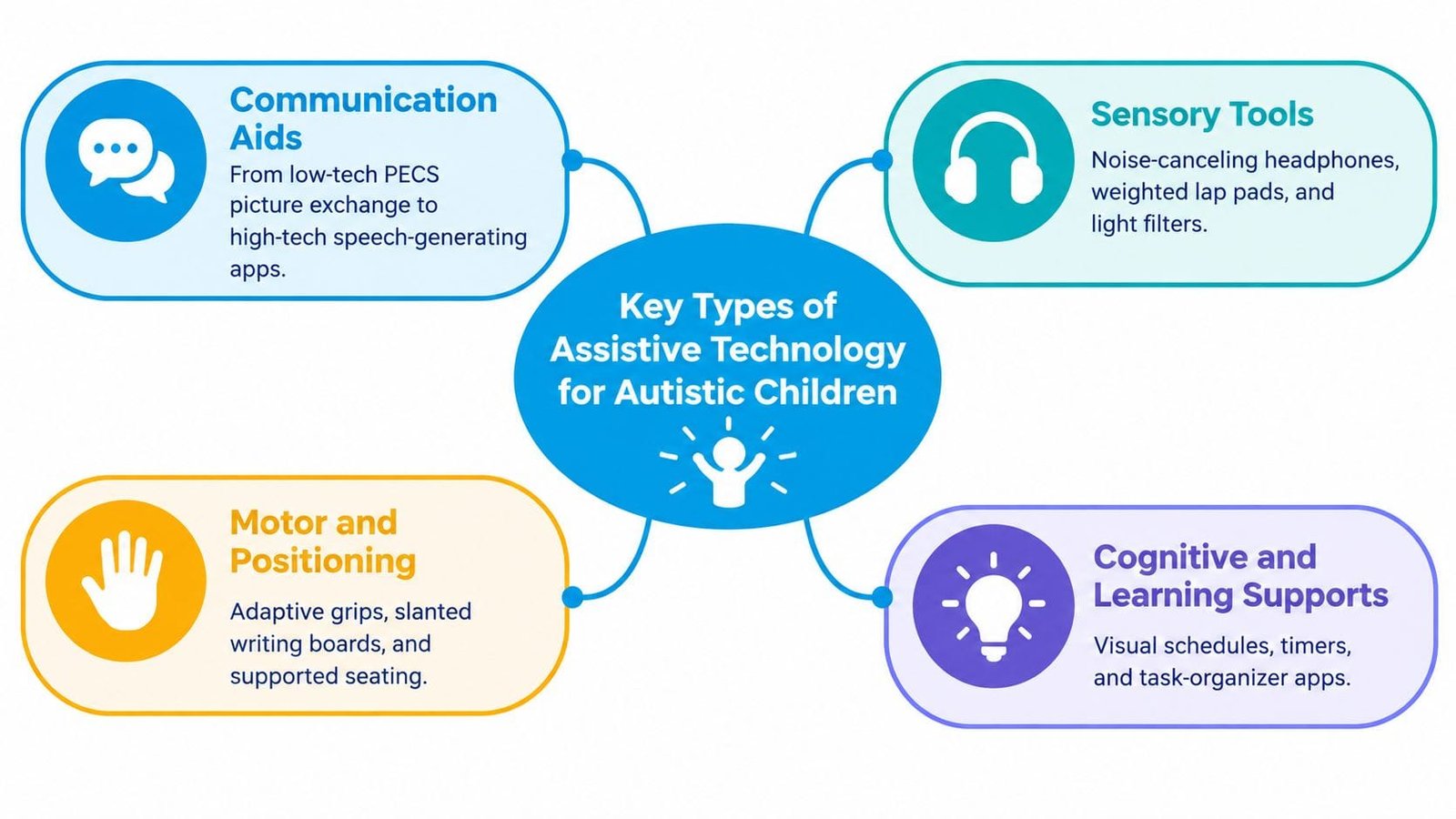
The best way to sort AT is by the problem it solves. A child who can't speak needs a different tool from a child who can speak but gets overloaded by noise, and both need something different from a child who knows what to do but can't hold the routine in working memory. Families often save time when they choose by functional category instead of by trend.
Communication aids
Communication tools are the most familiar starting point. At the low-tech end, picture exchange systems and communication boards can work well for children who need a clear, physical way to request, reject, or choose. At the high-tech end, speech-generating devices and tablet-based AAC apps can carry more vocabulary, support longer phrases, and help a child participate more fully in conversations.
The trade-off is practical. Low-tech systems are fast, durable, and easy to back up. High-tech systems can be more flexible, but they need charging, setup, and adult follow-through. A tool that works beautifully in therapy but stays in a backpack at home isn't doing its job.
Sensory tools
Noise-canceling headphones, weighted items, and fidgets are used to reduce overload or help a child regulate their body. These tools don't teach communication, and they shouldn't be oversold as behavioral fixes. They can, however, make a room tolerable enough for learning, eating, or traveling.
A useful example is a child who can attend to dinner only after the sound level drops. In that case, the sensory support isn't the whole intervention, it's the entry point that makes interaction possible.
For families comparing sensory and mobility-oriented products, the broader range of products for blind and low vision shows how AT often spans more than one disability category. The same principle applies in autism, where one support may help with sensory access while another supports communication.
Scheduling and routine supports
Visual timers, first-then boards, and digital schedules help children see what's happening next. These tools often work because they reduce uncertainty, not because they “motivate” in the usual sense. A predictable sequence lowers the emotional cost of transitions.
Software and apps
Apps can support social learning, emotion check-ins, academic tasks, and behavior tracking. Their usefulness depends on whether they solve a specific daily problem. An app that teaches a skill in a controlled lesson but doesn't transfer to breakfast, the car ride, or bedtime is only partly useful.
The clearest test is this, can the child use it outside the original teaching moment? If the answer is no, the tool needs a different rollout, or a different choice altogether.
For families looking at communication specifically, the practical starting point can be a structured guide like communication devices for nonverbal support, especially when speech isn't consistent and the home needs a reliable way to capture requests, refusals, and choices.
Bridging Home and Therapy with Smart Tracking
A lot of parents already know what happened today. The problem is that memory turns messy quickly, especially when sleep was poor, meals were off, and a meltdown happened two hours after the trigger. Smart tracking tools help convert those scattered impressions into something you can actually use with a therapist or doctor.
From guesswork to usable patterns
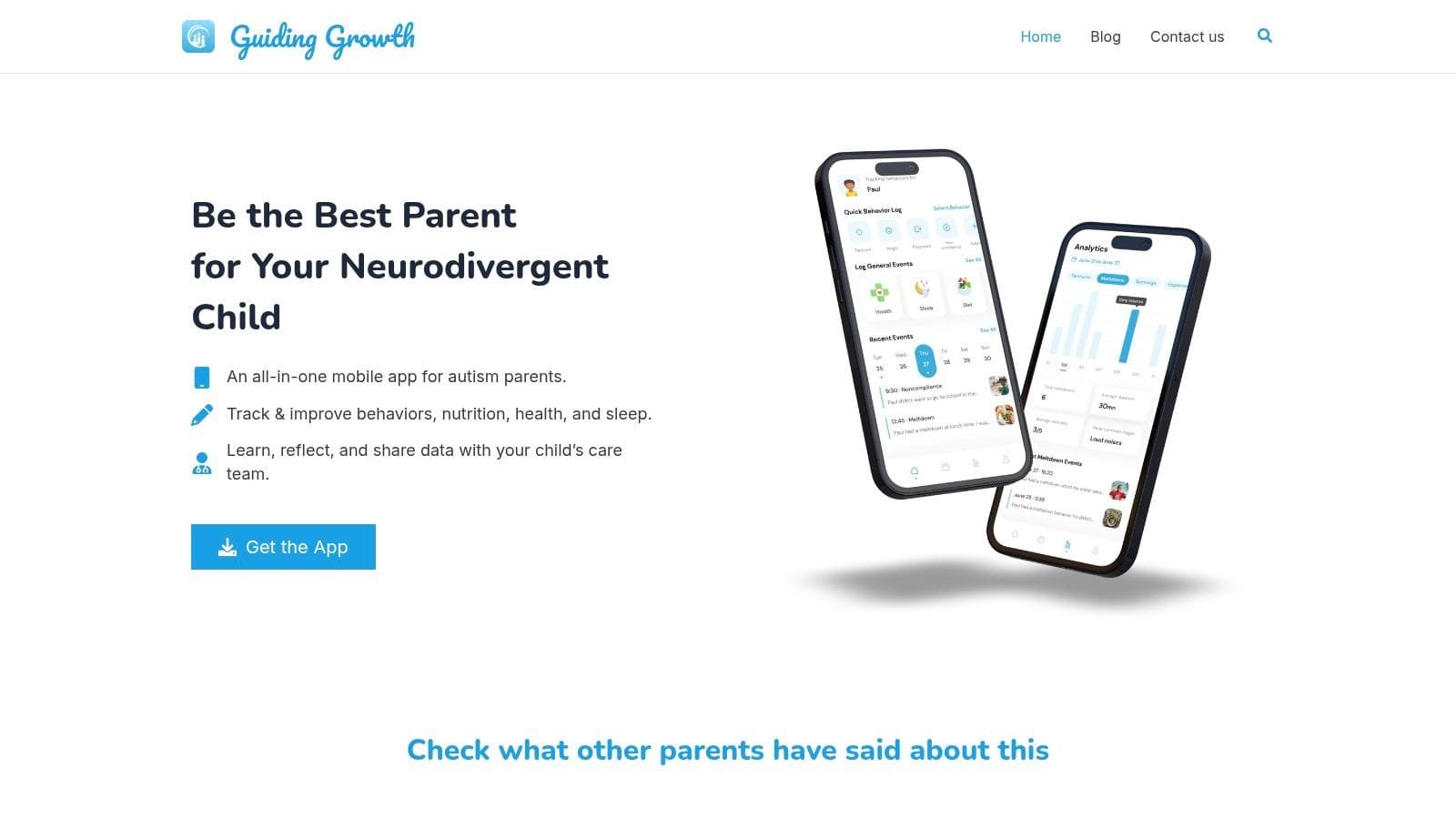
A data-first app becomes its own kind of assistive technology. Instead of relying on memory alone, parents can log sleep, behavior, meals, mood, medications, and appointments in one place, then review what keeps showing up. That doesn't replace professional judgment, but it makes the family's observations much harder to ignore or misremember.
The recent autism AT literature is clear that practical-life needs are still underexplored, especially for adults and family routines, which makes everyday tracking even more valuable. A tool like Guiding Growth's autism data collection app fits that gap by helping parents turn daily events into structured records they can bring to sessions and meetings. It's most useful when the question isn't “What happened once?” but “What keeps happening, and under what conditions?”
What the log should capture
Good tracking doesn't need to be complicated, but it does need to be consistent. The goal is to connect behavior with context so that triggers don't stay hidden behind a rough day.
- Behavior details: What happened, how intense it was, how long it lasted, and what was present.
- Routines: Sleep, meals, screen time, therapies, and medication timing.
- Body and mood signals: Irritability, overwhelm, fatigue, hunger, or withdrawal.
- Environmental factors: Noise, transitions, people present, and changes in schedule.
Use the log as a mirror, not a scorecard. The point is to understand the child's day, not to judge it.
A good tracking system makes meetings sharper because everyone talks from the same factual base. It also helps parents notice what looks like “random behavior” but is linked to a recurring pattern, which is usually where intervention starts.
How to Choose and Implement the Right Tools
Start with the child's hardest bottleneck, not the most popular device on social media. If the main issue is communication, a speech-generating system may matter more than a sensory gadget. If the main issue is transitions, a visual schedule may outperform a more complex app that takes too long to learn.
Match the tool to the real setting
Ask where the tool has to work. Kitchen? Car? Classroom? Therapy room? A tool that only succeeds in a calm office usually fails in the places where the family needs it most. I've seen families overcommit to high-tech support when a laminated routine board and a simple timer would have been used more often and with less stress.
The best implementation plan usually includes three checks. First, the child can tolerate the tool. Second, the adults can use it without constant prompting. Third, it fits the rhythm of the house rather than forcing the house to reorganize around it.
Build consistency before expecting progress
All caregivers need the same playbook. If one parent models the device, a grandparent avoids it, and school uses a different version, the child gets mixed signals. That's where many promising tools lose momentum.
A short trial period helps. Use the tool long enough to see whether it changes real routines, not just whether it looks promising on day one. Then keep the pieces that work and drop the rest without guilt.
If you're comparing apps, devices, and routines, the right question is simple, does this make the child more independent in daily life? If the answer is yes, the tool earns its place. If not, it belongs back on the shelf.
Privacy, Ethics, and Digital Safety
Digital AT collects more than people realize. Depending on the product, that can include behavior patterns, health notes, location-related context, meal information, mood trends, or family routines. Parents often focus on usefulness first, but the data footprint matters just as much.
Read the data policy like it belongs to your child
Who owns the information? Who can see it? Can it be exported if you stop using the app? Those are not side questions. They determine whether the tool serves your family or subtly locks your child's history inside a platform you can't control.
A privacy-first tool should make security understandable, not mysterious. It should also give families a way to export records for doctors, therapists, or school meetings. If a platform can't support that kind of portability, it's harder to trust with sensitive developmental information.
Keep consent and sharing tight
Only invite collaborators who need access, and make sure each person understands what they can view or edit. That includes co-parents, caregivers, teachers, and therapists. In practice, the safest systems are the ones where families can share selectively instead of handing over everything by default.
Use the same caution with any autism app that stores notes, media, or health history. A convenient feature is not worth much if the privacy terms are vague. For families comparing security standards, this overview of a HIPAA-compliant app is a useful benchmark for the kinds of safeguards to look for in a digital tracker.
Partnering with Professionals for Lasting Success
The best AT setup isn't a device sitting on a shelf. It's a working relationship between the family, the child, and the care team. When parents bring structured logs to therapy or an IEP meeting, the conversation gets sharper because it moves from impressions to evidence.
That matters most when a child's needs shift across settings. A tool that helps at home may need a different routine at school, and a support that works during calm moments may fall apart under stress. Shared data helps everyone see where the gap really is, instead of guessing.
Make the meeting about patterns, not anecdotes
Bring the specific observations that matter. What time do meltdowns cluster? Which meals or transitions keep showing up as trouble? Which supports reduce friction and which ones get ignored? Those questions give professionals something concrete to work with.
This is also where the home record becomes powerful. A speech therapist, occupational therapist, pediatrician, or teacher can adjust support much faster when they can see what the family has already tracked. Consistent logs reduce the chance that the child has to “perform” their struggles from scratch in every appointment.
A tool like Guiding Growth fits into that workflow by helping parents log behavior, sleep, meals, mood, medications, and appointments in one place, then export structured summaries for care meetings. Used well, that kind of shared record supports calmer decisions at home and more grounded planning across the care team.
If you're trying to sort out which tools fit your child's day, start with the routines that break down most often and track them for a few weeks. Guiding Growth gives families one place to log patterns, prepare for appointments, and carry useful data into therapy, school, and home decisions.