A parent downloads an app hoping it will make communication easier. Instead, the child taps randomly, the voice sounds unfamiliar, and the tablet ends up back on the shelf. The problem often isn't the technology itself. It's the gap between choosing a communication tool and building the routines, customization, teaching, and team coordination that help someone use it when communication matters most.
Table of Contents
- A Moment That Most Parents and Therapists Will Recognize
- What Communication Apps for Autism Really Are
- The Main Types of Apps for Autism Communication
- Features That Actually Matter When Choosing an App
- Accessibility and Customization for Real Autistic Users
- Connecting Communication Apps to Daily Routines and Care Teams
- Making Communication Apps Work at Home and School
A Moment That Most Parents and Therapists Will Recognize
A parent kneels beside a child at the breakfast table. The child is crying, pushing away the plate, and reaching toward the counter. The parent guesses: Is the food wrong? Is the room too loud? Does the child want a drink, a different bowl, or a break?
A speech therapist watches from nearby. A tablet sits unused on the counter, its screen asleep. Everyone wants to help, but nobody has a reliable way to discover what the child is trying to say in that moment.

This scene is common because communication support has two parts. The first is the communication system, such as pictures, signs, written words, or a speech-generating app. The second is the surrounding support system, including prepared partners, predictable routines, careful observation, and a way to share what happened.
A communication app can give a child a way to request, reject, comment, choose, or ask for help. It can also give a fluent speaker a backup voice during overload, illness, anxiety, or a setting where speech becomes difficult. But the app won't automatically become useful because it's installed.
Practical rule: Treat the app like a doorway, not the whole house. The person still needs a clear path to the words, patient communication partners, and routines that make those words meaningful.
The research history helps explain why these tools deserve serious consideration. A 2015 systematic review of tablet-based speech-generating devices described how iPads and iPods could be adapted for autistic people, with tablet-based communication often acquired more quickly than picture exchange or manual sign language in comparative studies. Most participants preferred the tablet option, marking an important shift from specialized hardware toward mainstream devices.
This guide focuses on the practical decisions that follow that shift. You'll learn what AAC apps are, how major categories differ, which features matter, how to customize access, and why logging triggers and daily context can be as important as the communication screen itself.
What Communication Apps for Autism Really Are
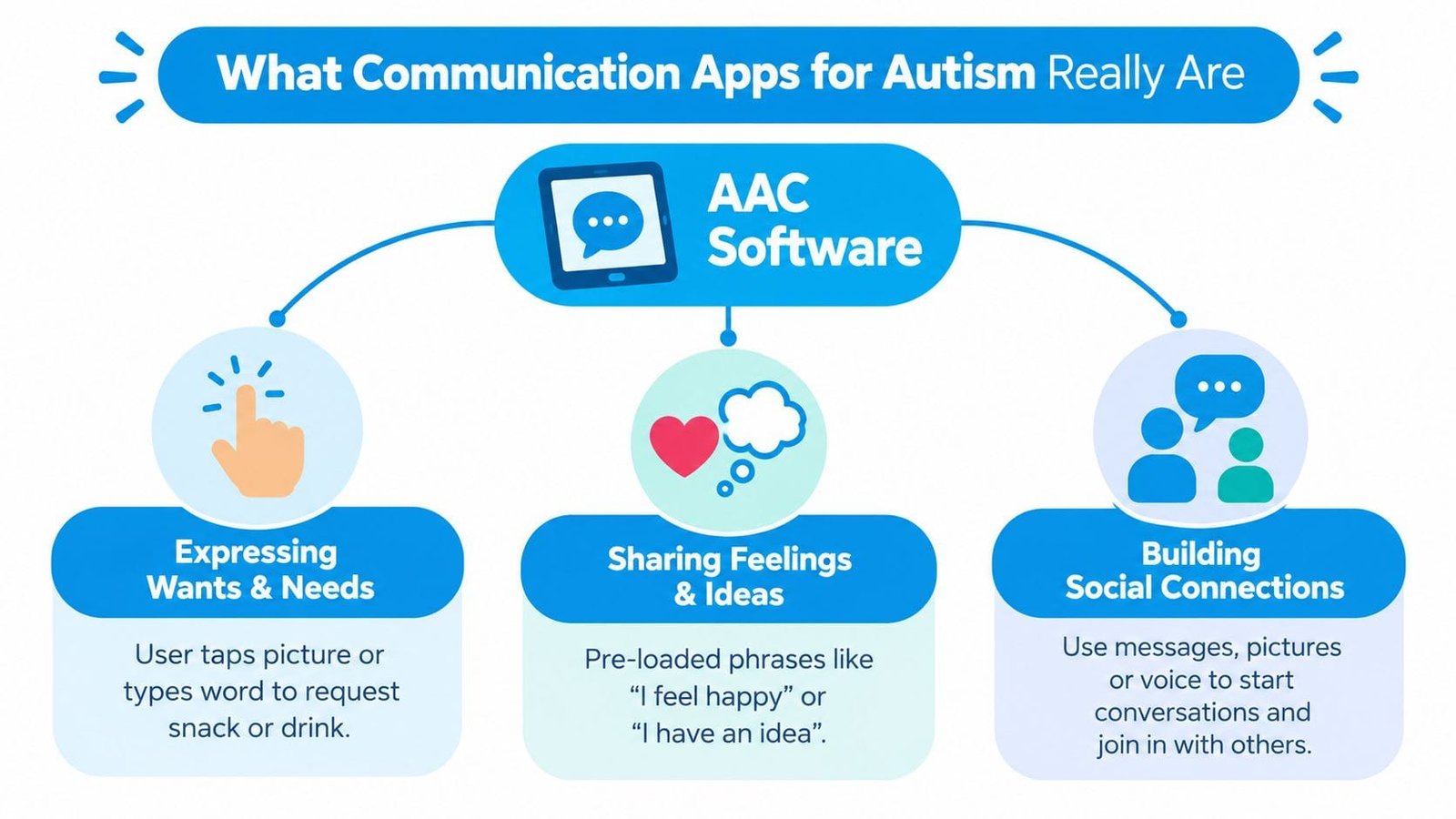
Communication apps for autism are software tools that help a person express wants, needs, feelings, preferences, and ideas when spoken language is limited, unreliable, or difficult to access. Some use pictures and symbols. Others use typed text, recorded messages, or combinations of visual and written language.
The broad term is augmentative and alternative communication, or AAC. “Augmentative” means the tool adds to existing speech. “Alternative” means it may provide another route when speech doesn't meet the person's needs. AAC can include gestures, manual signs, picture boards, communication books, and speech-generating devices, not only tablet apps.
PECS, or the Picture Exchange Communication System, is a structured picture-exchange approach. A person learns to select and exchange pictures for communication purposes. Many digital tools borrow parts of that experience by letting a user select a picture and produce a spoken word, but a digital picture board isn't automatically the same as a full PECS implementation.
The parts that work together
Think of an AAC app as a restaurant menu that the person can open whenever they need it. The menu makes choices visible. It reduces the pressure to remember a word, pronounce it, or find it quickly while upset. A communication partner can point to items on the menu while speaking, showing how the system works without demanding an immediate response.
Several functions may sit inside that menu:
- Speech output: Text-to-speech turns typed words or selected symbols into an audible message.
- Core vocabulary: Frequently useful words such as “want,” “more,” “stop,” “not,” “go,” and “help” support flexible combinations.
- Fringe vocabulary: More specific words identify foods, people, toys, places, and activities.
- Visual supports: Schedules, timers, choice boards, and first-then displays make routines and transitions easier to understand.
- Recorded messages: Personal voice clips can preserve familiar sounds or make a message easier to recognize.
These tools can support a minimally verbal child, a person who speaks in some settings but loses access to speech under stress, or someone who uses speech and AAC together. The goal isn't to force one communication style. It's to make expression more available and more dependable.
For a parent comparing options, a guide to communication devices for nonverbal users can provide useful background on how dedicated devices and app-based systems fit into AAC planning.
The Main Types of Apps for Autism Communication
No single category works for every user. A child who needs a broad language system has different requirements from a teenager who can type but loses speech during sensory overload. The most useful comparison starts with the person, not the app store.
| Category | Best Suited For | Key Strength | Common Limitation |
|---|---|---|---|
| Dedicated AAC apps, such as Proloquo2Go, Proloquo4Text, TouchChat, and LAMP Words for Life | Users who need an ongoing system for requesting, commenting, answering, and combining words | Broad vocabulary, speech output, and room for language growth | Setup and teaching can be demanding, especially when the vocabulary system is unfamiliar |
| PECS-style picture exchange apps | Early communicators who benefit from clear picture-to-message relationships | Concrete visual choices and a simple path to requesting | Some systems may focus heavily on requesting and offer less generative language |
| Text-to-speech keyboards and AAC-lite apps | Verbal users who need a backup voice or prefer typing | Fast access to self-written messages | Typing may be slow, motorically difficult, or unavailable during distress |
| Visual support apps | Users who need help with routines, transitions, choices, or emotional preparation | Makes time and expectations visible | A schedule or choice board alone may not provide a complete language system |
Dedicated AAC apps often provide the strongest foundation for long-term language development. Systems such as Proloquo2Go, TouchChat, and LAMP Words for Life may organize words to support repeated motor patterns, while Proloquo4Text centers typed communication for users who prefer literacy-based access. Their flexibility is valuable, but a large vocabulary can initially feel overwhelming.
PECS-style apps can make the first communication step concrete. A child can select a picture of a drink, snack, or break instead of searching through a complex language layout. The limitation appears when the person needs to describe an event, answer a question, tell a story, or express an unfamiliar thought.
Text-to-speech keyboards work differently. The user creates the message with letters, then the app speaks it aloud. That may suit an articulate typist who needs support in high-pressure situations, but it's less practical for someone who can't reliably type or use a keyboard.
Visual support apps complement AAC rather than replace it. A first-then board might show “first shoes, then playground,” while a visual schedule maps the day. Many AAC apps include these supports, and some picture-exchange apps include speech output. Category boundaries overlap, so the final choice should reflect communication level, motor access, sensory preferences, literacy, and the places where the person will use the tool.
Features That Actually Matter When Choosing an App
The best-looking communication app can still fail if the user can't find a useful word quickly. Start with the vocabulary architecture, the underlying map that determines where words live and how a person moves between them.
A system should offer high-frequency core words alongside personal vocabulary. It should let the team add a favorite food, family member, classroom activity, or comfort item without rebuilding the entire board. Consistent button locations matter for users who learn through motor planning. If “stop” moves every time the layout changes, the person has to relearn access instead of concentrating on communication.
Voice output deserves equal attention. A natural-sounding voice may be easier for partners to understand, while a recorded personal message may feel more familiar in specific situations. Check whether the app handles pronunciation, volume, speed, and message editing in a way that fits the user.
A practical feature comparison
| Feature | What to Look For | Why It Matters |
|---|---|---|
| Vocabulary design | Core and fringe vocabulary, consistent navigation, simple word additions | Supports both immediate requests and more flexible expression |
| Speech output | Adjustable rate and volume, understandable pronunciation, personal recordings | Makes messages easier to hear and recognize |
| Data capture | Usage notes, communication attempts, context fields, export options | Helps caregivers and clinicians connect communication with routines |
| Customization | Grid size, symbols, colors, language options, access settings | Matches the person's vision, motor skills, literacy, and preferences |
| Offline reliability | Core functions available without a strong connection | Prevents communication loss during travel, school outages, or low-signal sessions |
| Team access | Secure sharing, caregiver roles, reports, and permissions | Keeps vocabulary and observations aligned across settings |
Data features should answer useful questions, not merely produce a dashboard. Can a caregiver record that “help” was modeled during dressing? Can a therapist review which words were attempted during play? Can the team export relevant information without exposing more personal data than necessary?
Privacy also belongs in the first conversation, not the final checklist. Families and clinicians handling health-related information should review storage, account access, permissions, and sharing controls. A resource on HIPAA-compliant app considerations can help teams frame those questions before they commit to a platform.
A progress report is only valuable when it changes what a caregiver or clinician does next.
The evidence supports looking beyond the app as an isolated interface. A 2024 review of SGD-infused interventions synthesized 18 studies published from 1990 through 2023 and found that interventions pairing speech-generating devices with evidence-based practices increased expressive language and social communication utterances. A separate review of 31 single-case studies involving 84 individuals reported large-to-very-large gains in manding and intraverbal responses, with moderate gains in tacting and vocalizations. The practical lesson is clear: prompting, reinforcement, modeling, and functional practice may matter more than decorative design.
Accessibility and Customization for Real Autistic Users
An app can contain excellent vocabulary and still be unusable. Before evaluating advanced features, watch how the person physically and sensory-wise interacts with the screen.
Motor access may require dwell control, head tracking, switch input, or larger touch targets. A child who misses small buttons isn't refusing to communicate. The interface may be asking for precision that doesn't match their motor profile. A speech-language pathologist or occupational therapist can help test access methods and determine whether the person needs direct touch, scanning, or another route.
Sensory settings can determine whether the person returns to the app. Try reducing motion, muting automatic sounds, lowering brightness, and choosing a high-contrast or muted palette. Some users need strong visual contrast, while others find bright colors and animation distracting. Let the person's response guide the setup.
Make the layout predictable
Motor-planning consistency reduces cognitive load. Keep important buttons in stable positions, avoid unnecessary page changes, and resist redesigning the board every time a new word is added. The user should be able to build memory for access rather than constantly search for a moving target.
Customization can be concrete and personal:
- Use familiar symbols: Replace a generic drink icon with a photo of the person's actual cup if that makes the meaning clearer.
- Simplify the starting screen: Present a smaller set of meaningful choices for an early learner, then expand gradually as access becomes reliable.
- Create fast paths: Add folders for school, meals, favorite activities, pain, and regulation needs.
- Respect identity and preference: Include words for interests, sensory experiences, communication boundaries, and refusals, not only compliance-oriented requests.
- Test the environment: Check visibility in sunlight, sound output in a noisy classroom, and access while the user is seated, standing, or moving.
The system should support more than “I want.” The systematic review of mobile AAC instruction included 38 studies with 106 total participants and identified approaches involving prompting, time delay, reinforcement, discrete trial training, naturalistic intervention, modeling, peer-mediated instruction, task analysis, and parent-implemented intervention. That range reinforces the need to build access into real interactions rather than treating the app as a quiz.
The most advanced app won't help if the interface feels physically uncomfortable, visually chaotic, or unfamiliar. Acceptance is not a cosmetic concern. It's part of access.
Connecting Communication Apps to Daily Routines and Care Teams
A communication attempt becomes more meaningful when you know what happened before and after it. A child may tap “break” during a noisy transition, “help” when a container is difficult to open, or “no” when a preferred food is presented in an unexpected form. Without context, those messages look like isolated data points. With context, they can reveal useful patterns.
Modeling words on the device during ordinary activities gives caregivers a way to show how communication works. During breakfast, a parent might model “more,” “finished,” “drink,” and “different” without requiring the child to respond. During a meltdown, the adult may reduce language, offer a small set of relevant choices, and record what preceded the distress later, when everyone is calm.
Turn scattered observations into shared information
Logging communication alongside behavior, sleep, sensory triggers, diet, medication, and routine changes can create a fuller picture. A difficult morning may involve poor sleep, a rushed transition, a loud environment, and an unavailable preferred item. The app itself can provide the message, while the broader record helps the team understand the conditions surrounding that message.
how Family Xchange tracks progress offers a useful example of the value of connecting daily routines with progress observations. The principle is straightforward: caregivers need a record that captures not only what a child did, but also when, where, with whom, and under what conditions.
A speech therapist can use communication notes to adjust vocabulary and prompting. A teacher can align the classroom layout with the home system. A pediatrician may notice that communication changes appear alongside illness, medication changes, or disrupted routines. None of these professionals needs every detail. They need the right information in a form they can interpret.
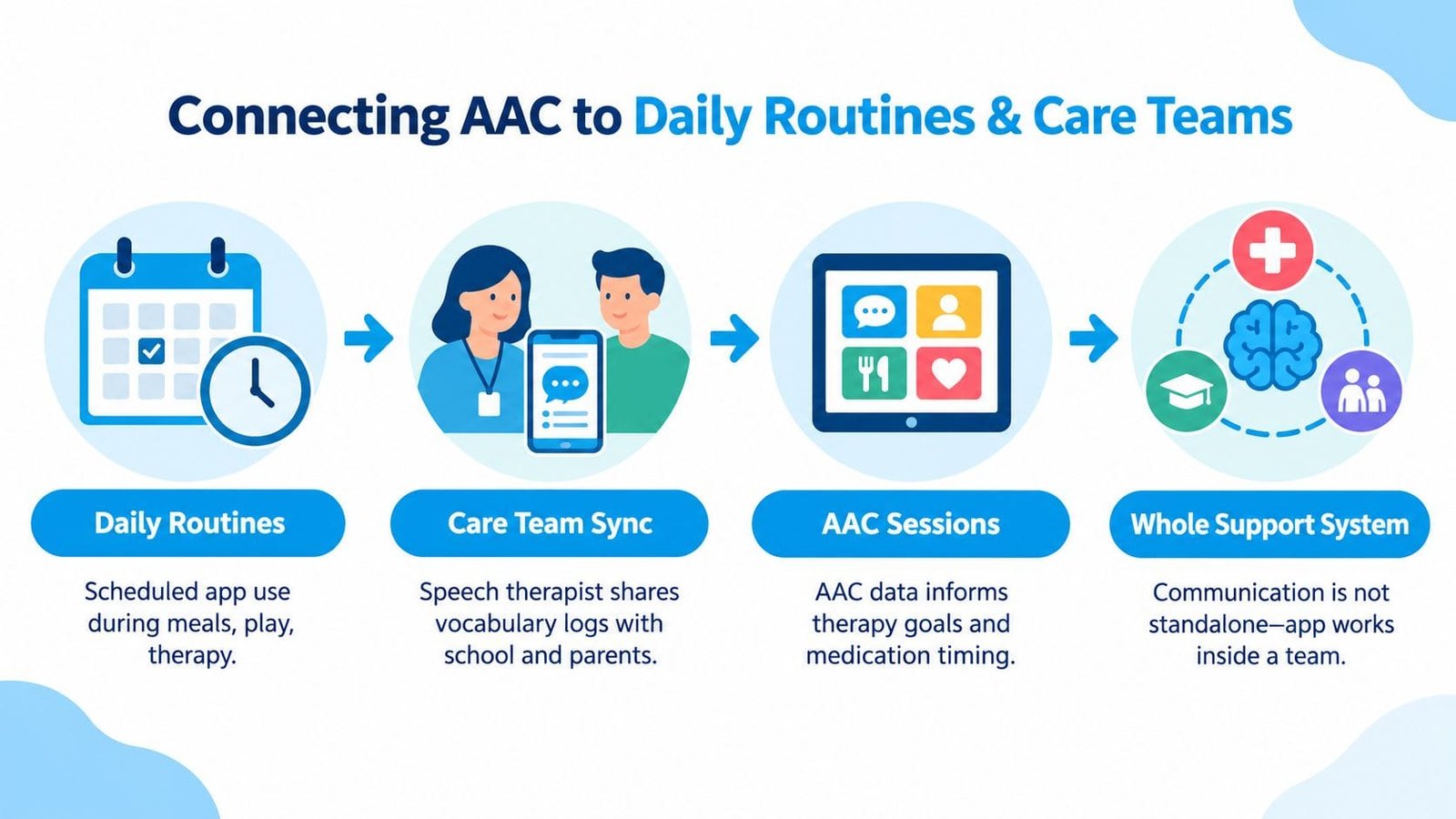
For a broader explanation of how mobile tools can fit into shared care, see this overview of information sharing platforms. The key idea is coordination, not surveillance. A shared record should help adults respond more consistently and make better decisions, while respecting the autistic person's privacy and communication autonomy.
This video provides another visual look at communication support in practice:
The evidence base points in the same direction. A 2021 systematic review of mobile technology speech-generating devices examined 9 alternating-treatment single-case studies involving 36 autistic participants, with a mean age of 7 years and an age range of 3 to 13. Most participants preferred the speech-generating device and performed better with it than with picture exchange or manual sign. That result doesn't mean the device works alone. It means the system becomes more useful when people teach, model, and support it consistently.
Making Communication Apps Work at Home and School
Implementation habits usually matter more than finding a perfect app. A powerful system that stays in a backpack can't support communication during lunch, recess, dressing, play, or a transition. A simpler system used consistently may provide more opportunities for meaningful participation.
A gradual rollout gives the person time to learn without turning every interaction into a test.
- During the first week, model without pressure. Keep the app available during familiar routines. Tap a few relevant words while you speak, but don't demand imitation or a correct response. The immediate goal is familiarity and access.
- During the next phase, repeat useful vocabulary. Use the same words during meals, play, transitions, and therapy. Offer genuine choices, honor refusals, and allow processing time. A communication system must include “no,” “stop,” “not that,” and “break,” not only words that help adults complete a task.
- Then share observations across settings. Teachers and therapists need to know which words were modeled, which messages were attempted, and what conditions supported access. Families need the same information from school so the system doesn't change meaning from one environment to another.
- Review and adjust with the team. Add vocabulary when a real need appears, examine patterns in frustration or successful communication, and change prompts carefully. Don't remove a word because it isn't used yet. The person may still be learning where it is and when it can help.
Accessibility is part of implementation, too. Guidance on accessibility in healthcare is useful when teams assess whether digital systems are understandable, navigable, and usable for people with different access needs.
The communication app remains the voice or language tool. A coordination layer can hold the surrounding context, such as usage notes, triggers, milestones, sleep observations, and routine changes. That context helps families and professionals refine prompts, reduce frustration-driven behavior, and reinforce communication gains across home and school.
Guiding Growth helps families organize daily care observations, communication notes, triggers, routines, and collaboration in one place, so an AAC app doesn't have to carry the whole support system alone. Visit Guiding Growth to see how shared tracking can help your family and care team turn scattered moments into clearer next steps.